How to Log Out of Kumoy
There are two ways to log out of Kumoy: from the QGIS plugin and from the web browser.
Log Out in QGIS#
-
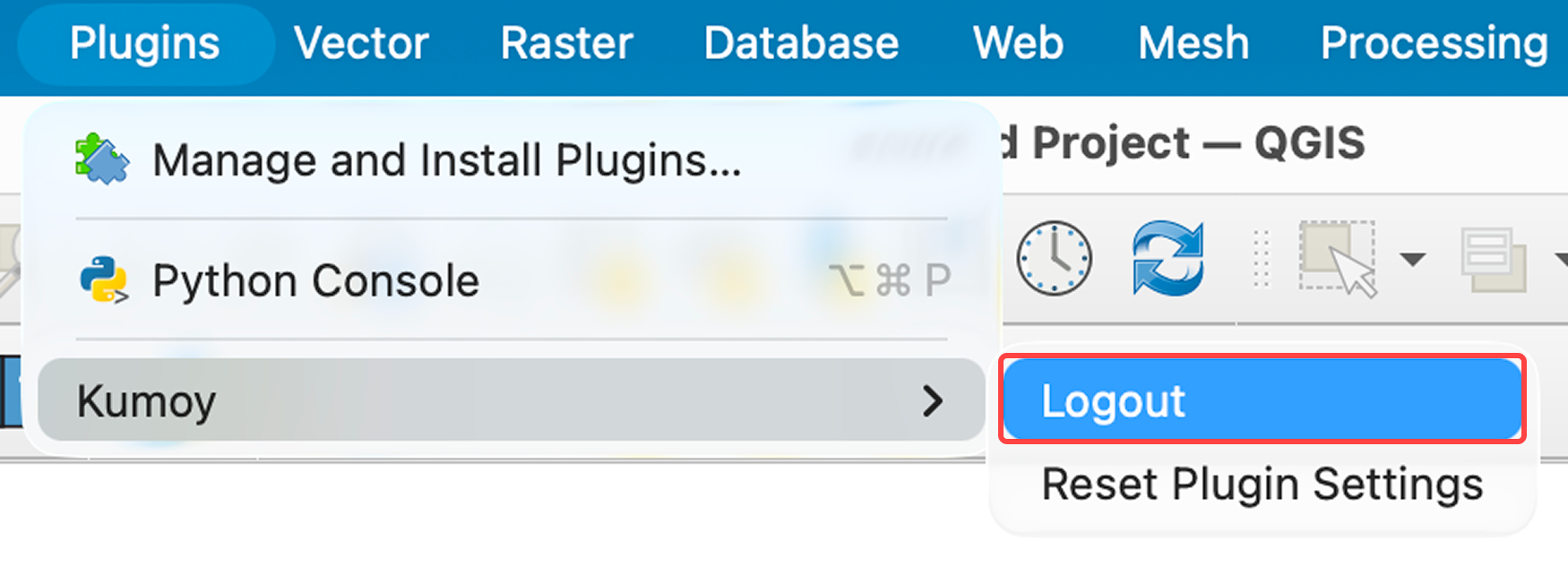
From the menu bar, click Plugins → Kumoy → Logout.
-
You are now logged out.
Log Out on the Web#
-
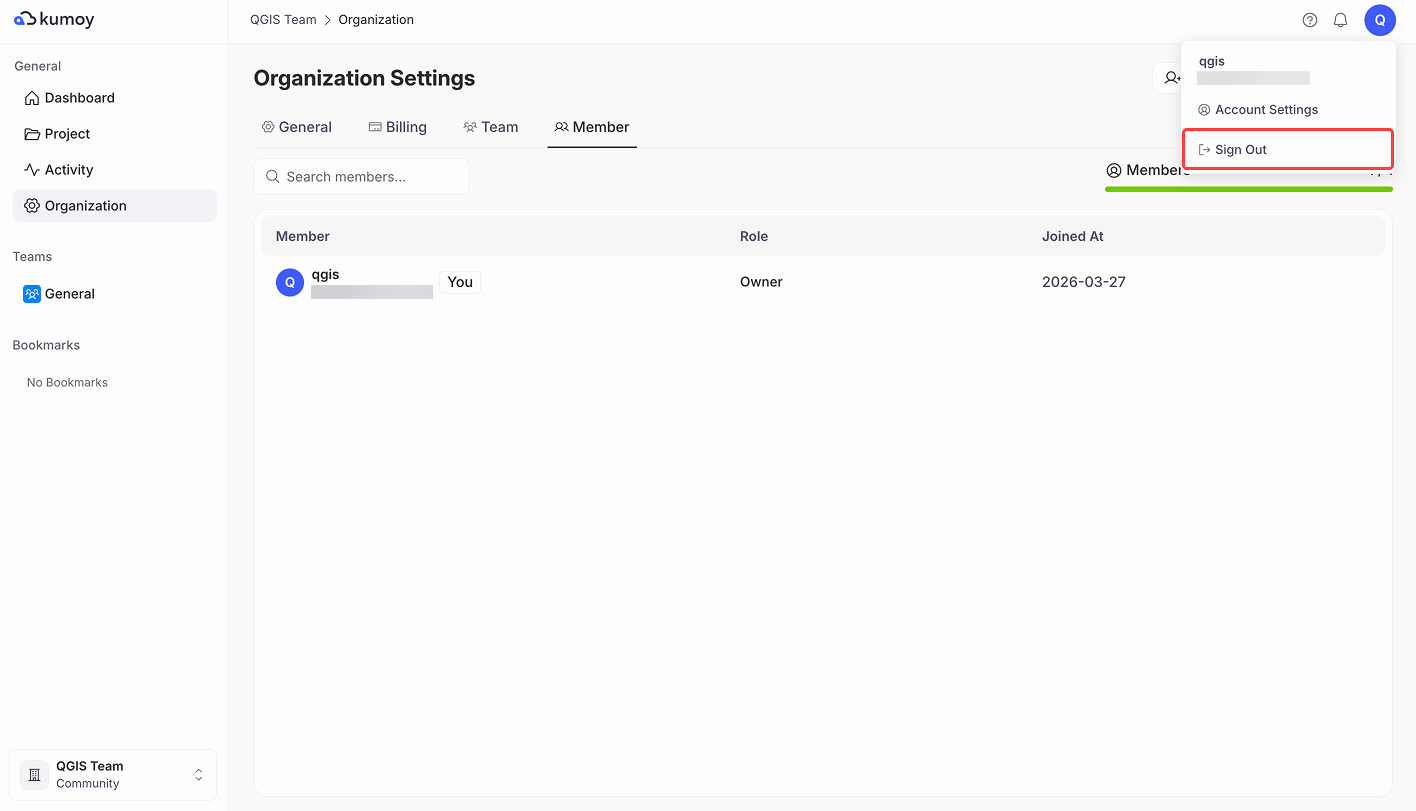
Click your username in the top right and click Sign Out.
-
You are now logged out.
Last update: Oct 7, 2026 23:52:25