Create an Organization
You can create a new organization from the web dashboard by following these steps.
NoteOn the Community plan, you can create up to 2 organizations.
Create an Organization#
-
Log in to Kumoy and open the web dashboard.
-
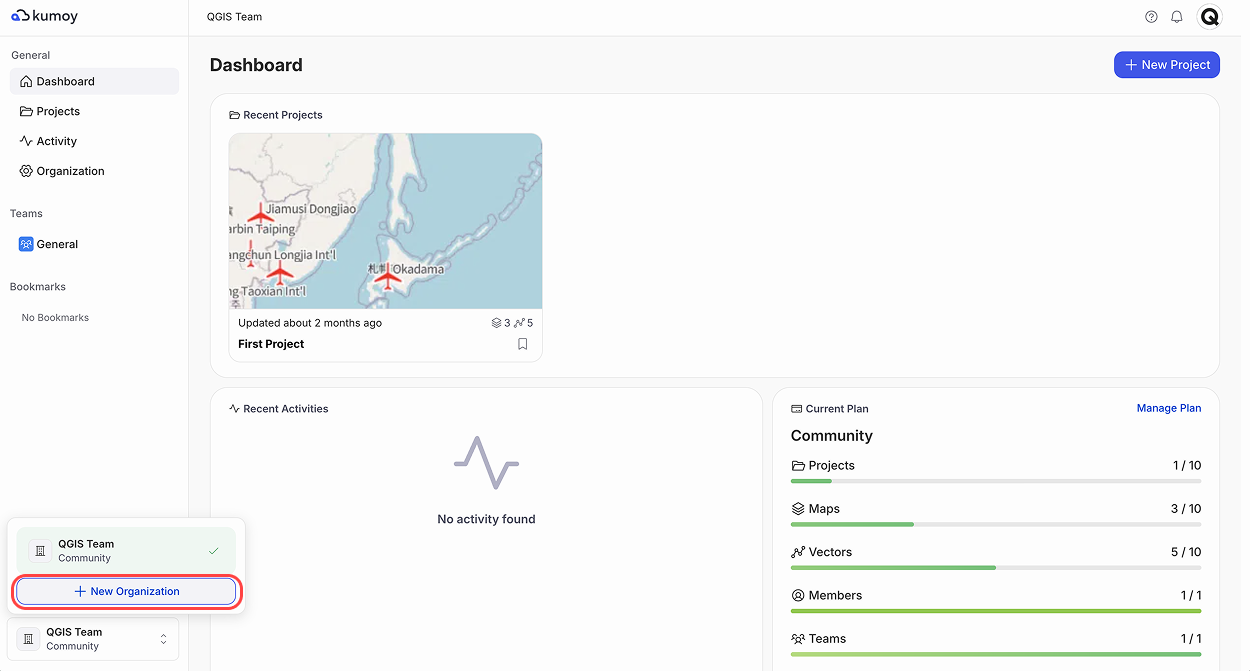
In the bottom left, click the Select an organization area, then click + New organization.
-
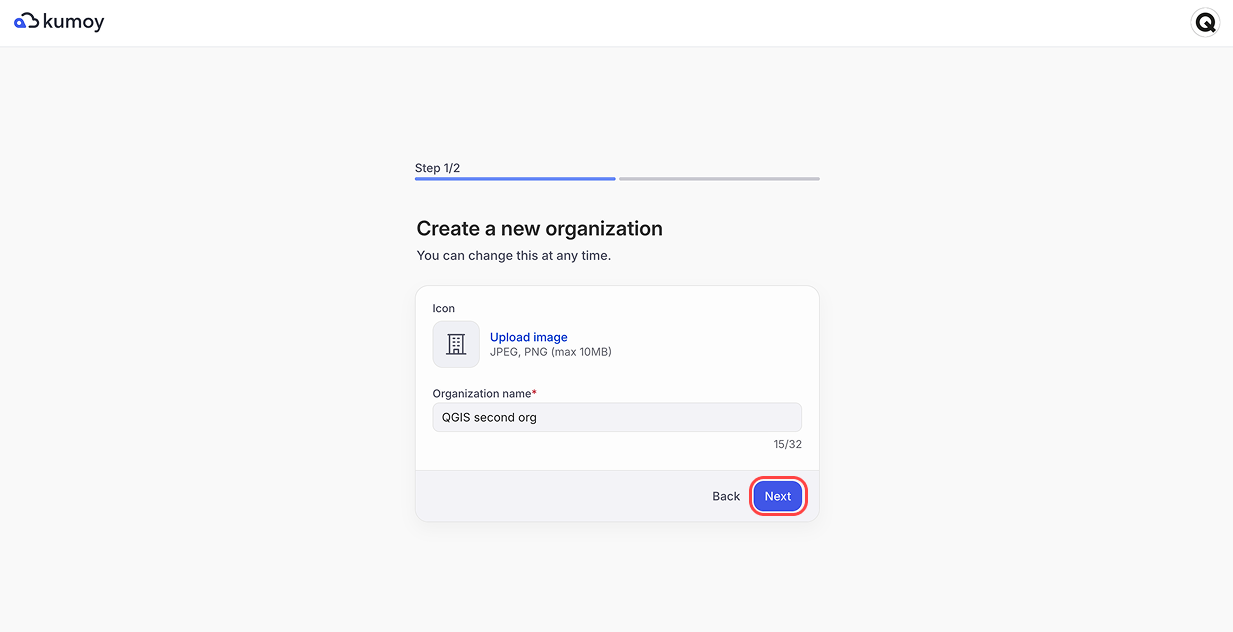
Enter the organization name and click Next.
-
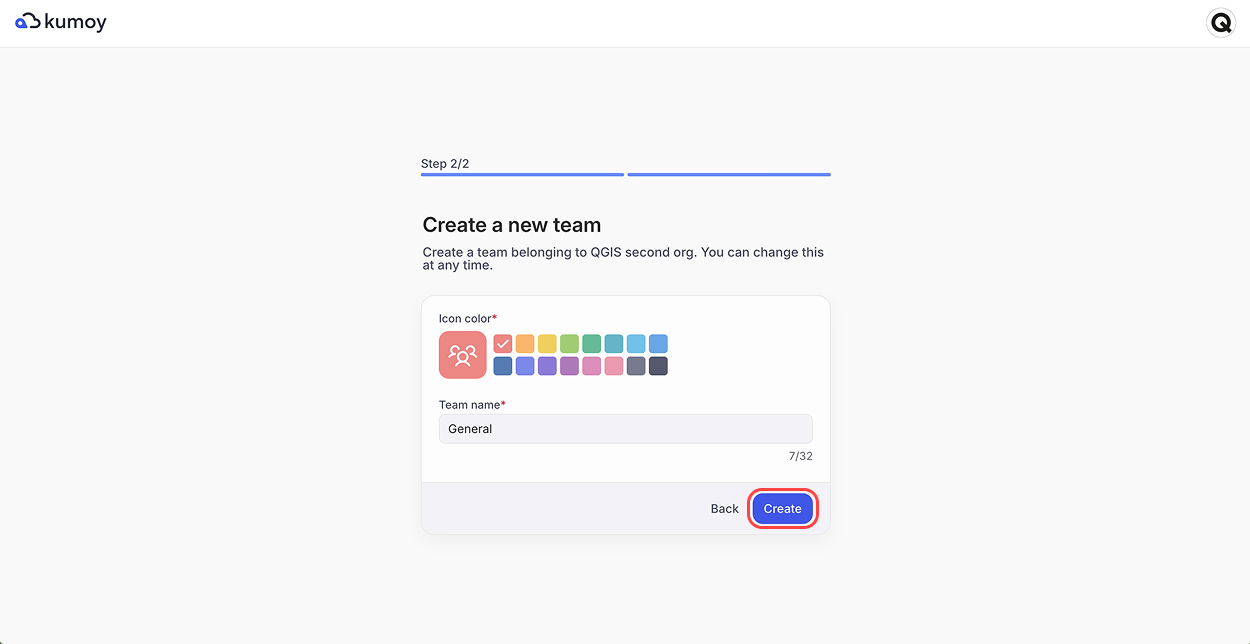
An organization must have at least one team. Enter the team name and click Create.
-
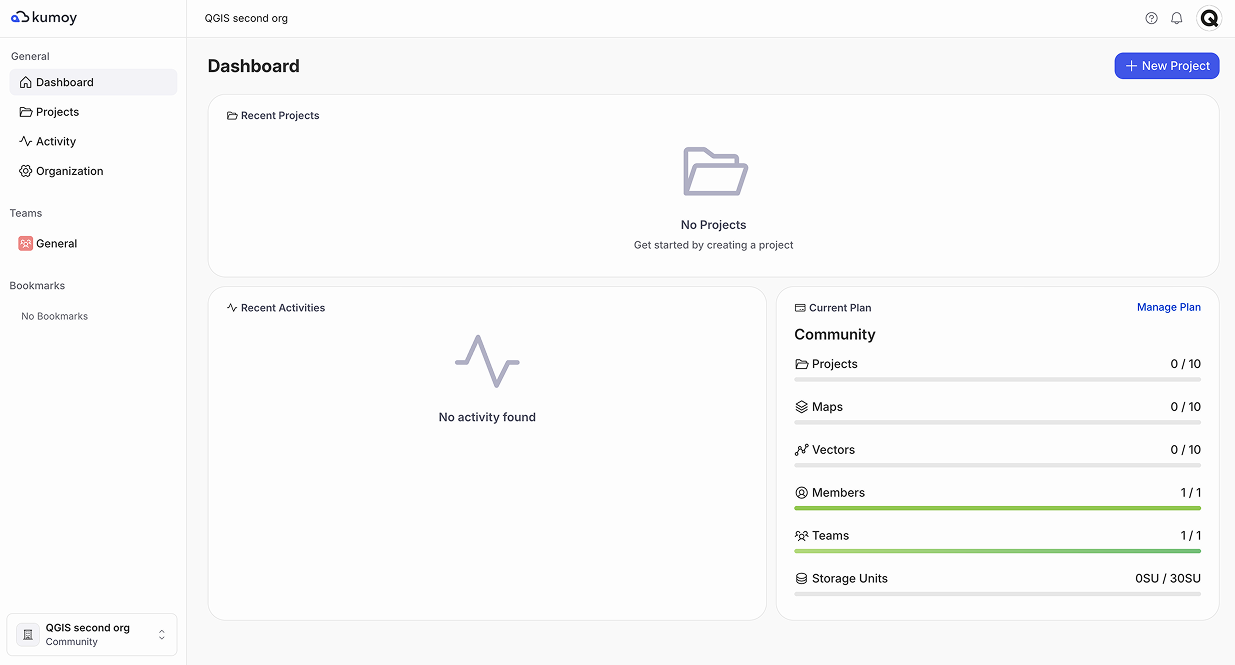
The dashboard opens with your new organization selected.
Last update: Oct 7, 2026 23:52:25