Start a Free Trial
Kumoy's Business plan is available as a free 30-day trial. You can start the trial once, after signing up.
If you don't have an account yet, first follow the Sign Up for Kumoy guide to create one.
You don't need to register a credit card to start the trial. If you add a payment method during the trial period, you can keep using the Business plan after the trial ends. If you don't add a payment method, your organization is automatically switched to the Community plan when the trial ends.
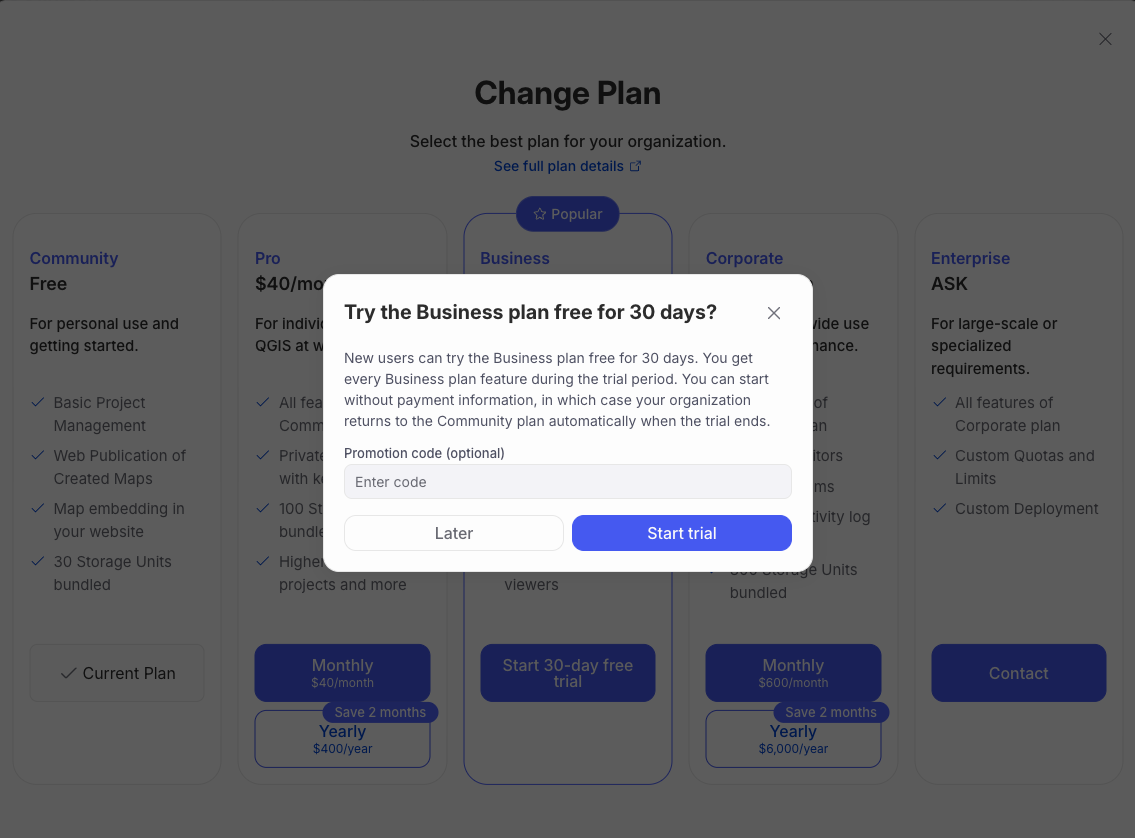
If you have a promotion code, enter it when you start the trial to get a longer trial period set for that code (for example, 90 days).
For more details about the Business plan, see Plan Limits.
Start Your Trial#
-
Log in to Kumoy.
-
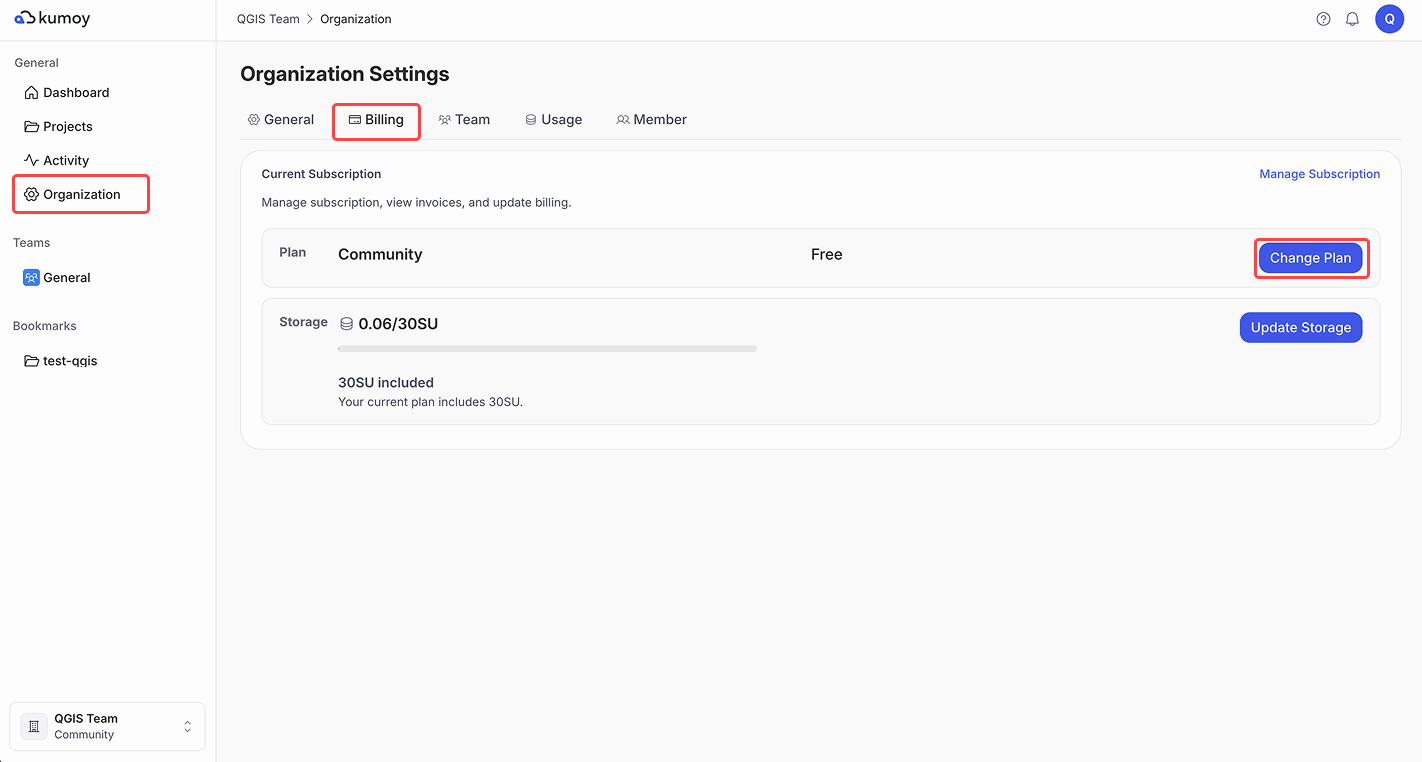
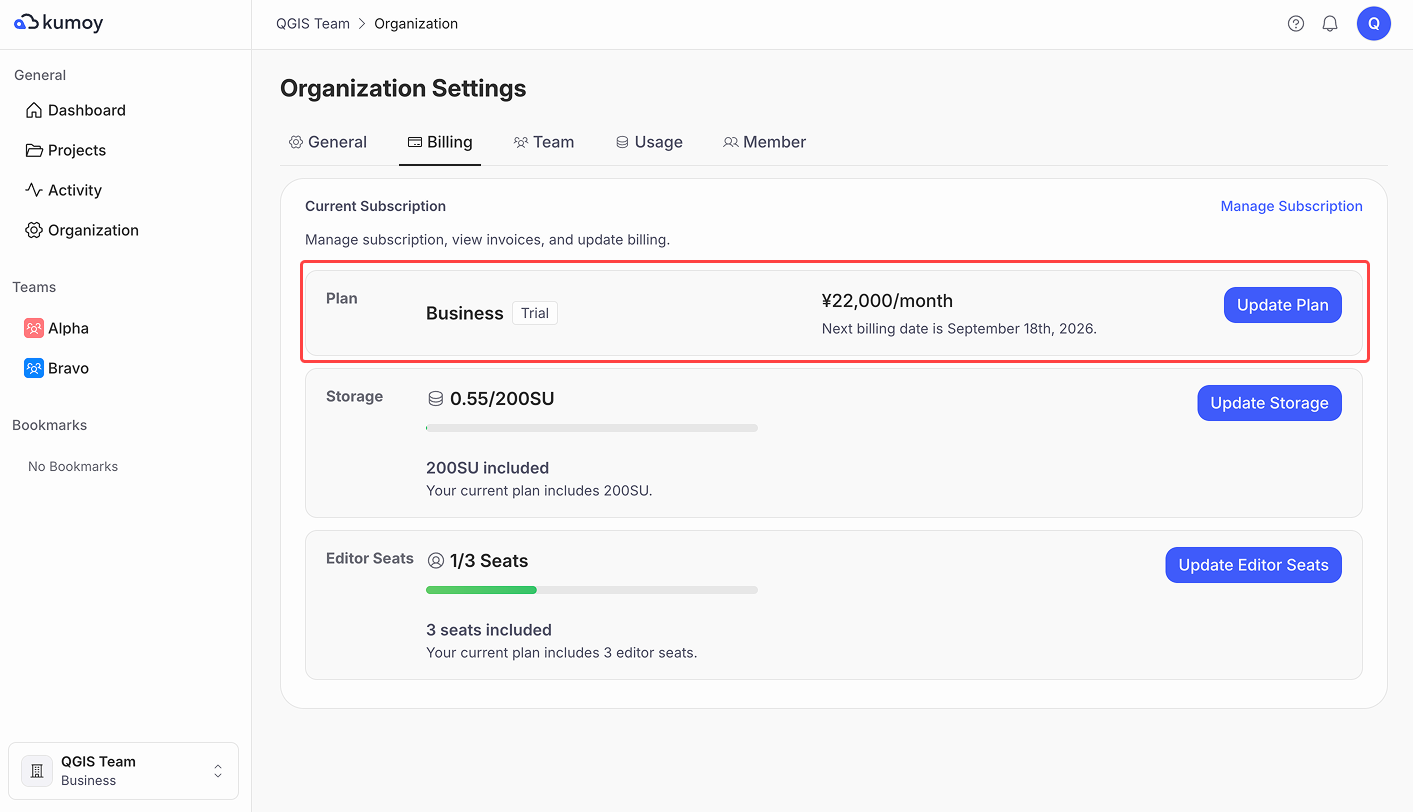
Open the Organization Settings tab, select the Billing sub-tab, and click Change plan.
-
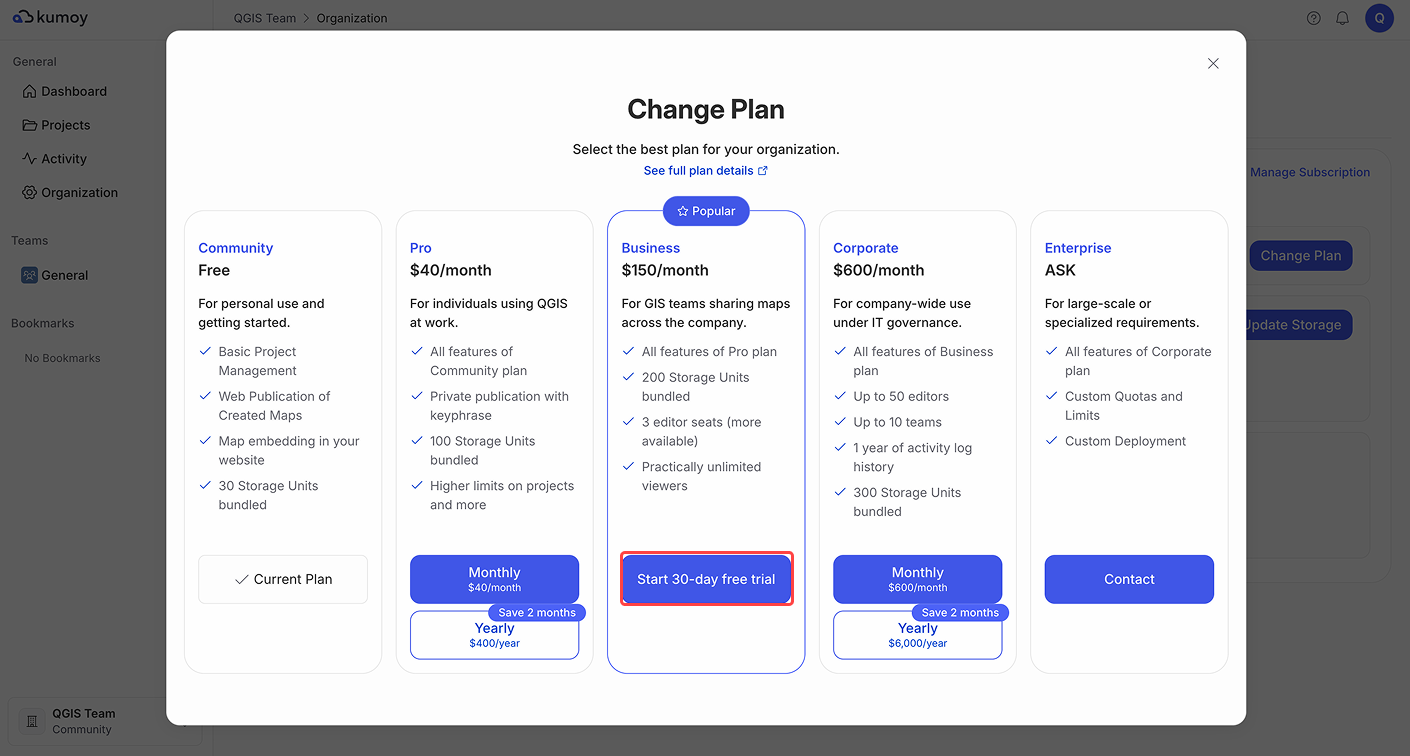
On the Business plan, click Start 30-day free trial.
-
In the confirmation dialog, enter your code in Promotion code (optional) if you have one, then click Start trial. If you don't have a code, leave the field blank.
 Note
If the code is invalid or no longer available, an error appears below the field. Check the code and enter it again.
-
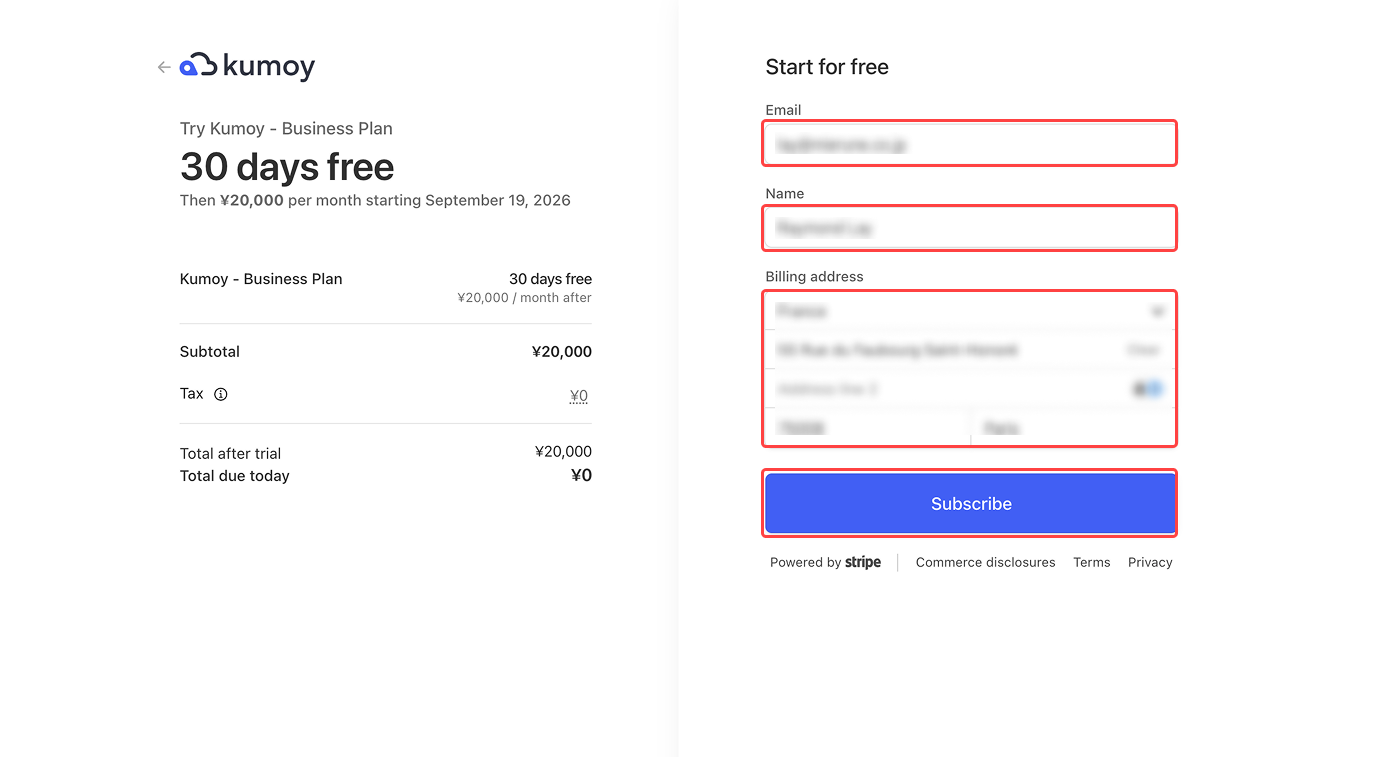
Enter your email, name, and billing address, then click Subscribe.
-
Once your application is complete, you are automatically redirected back to Kumoy and your free trial begins.
Last update: Nov 18, 2026 09:16:41