Working Together in Kumoy
Organization Management is how groups work together securely in Kumoy. Everyone joins the Organization first, and then you can sort people into different Teams. Each member's seat type and team role determine whether they can view or edit the projects in a Team.
ImportantThis feature is only available on the Business plan and above. See Update Plan & Add-ons to upgrade.
Hierarchy#
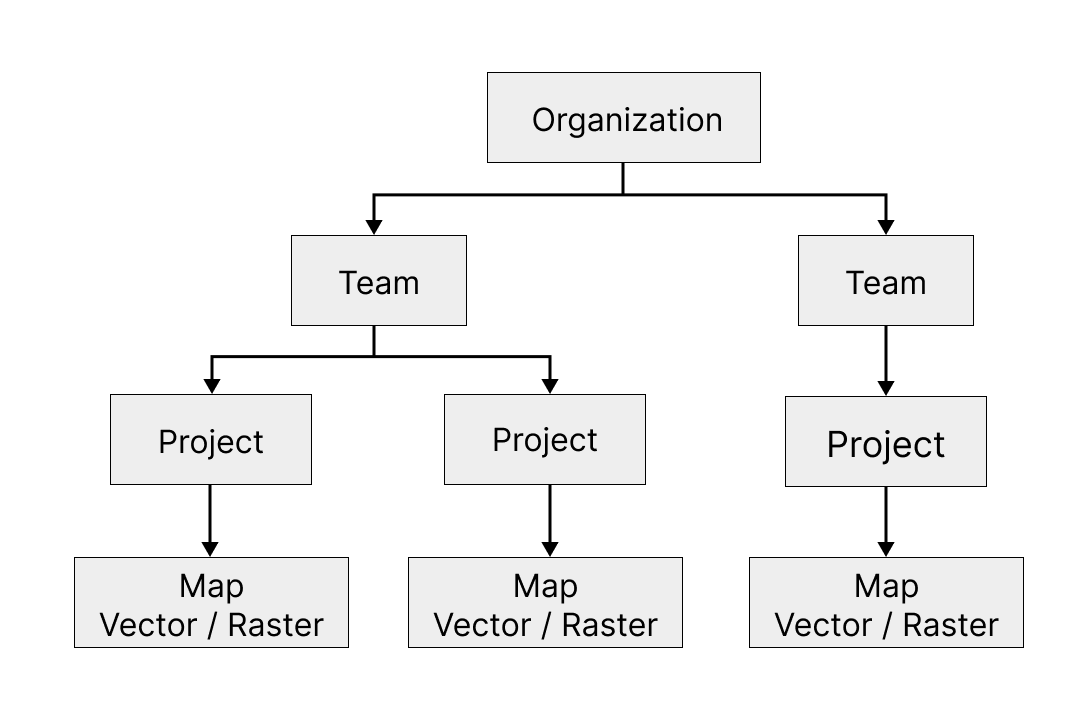
Kumoy manages data and permissions in a three-level hierarchy:
-
Organization: Your main hub. This is where you manage your plan, storage, and members.
-
Team: Your working groups. Use teams to decide who can see or edit specific projects.
-
Project: Your workspace. This is where you keep all the maps and data for a specific piece of work.
Seats and Roles#
What an organization member can do depends on the combination of their organization role, seat type, and team role. See Seats and Roles for an explanation of these settings and their combinations, and Permissions for a full reference of what each role can do. For instructions, see Manage Organization Members and Manage Teams.
Last update: Oct 7, 2026 23:52:25