Cancel Subscription
This page explains how to cancel an active plan or additional storage subscription.
Important Notes Before Cancelling#
- Cancelling doesn't cut off access right away. You keep full access until the end of the current billing period, when the subscription ends automatically.
- When your subscription ends, Kumoy adjusts member counts to fit the new plan's limits. For example, if you move to the Community plan, only the oldest Owner is kept and everyone else is removed from the organization.
- If you move to a plan lower than Business, your additional Editor seats are canceled. Members over the new plan's limit are changed to Viewer seats, and their Editor role in every team automatically changes to Viewer. Their organization role as Owner, Admin, or Member does not change. You get a credit for the unused seats on your next invoice.
- Your saved data is never deleted automatically, even if your SU usage exceeds the contracted amount after a plan or storage change. However, write operations are disabled until your usage is back within the limit.
See Seats and Roles for how seat types and roles work together.
Cancel Your Subscription#
The example below shows how to cancel the Business plan subscription. You can use the same steps to cancel additional storage.
-
Log in to Kumoy.
-
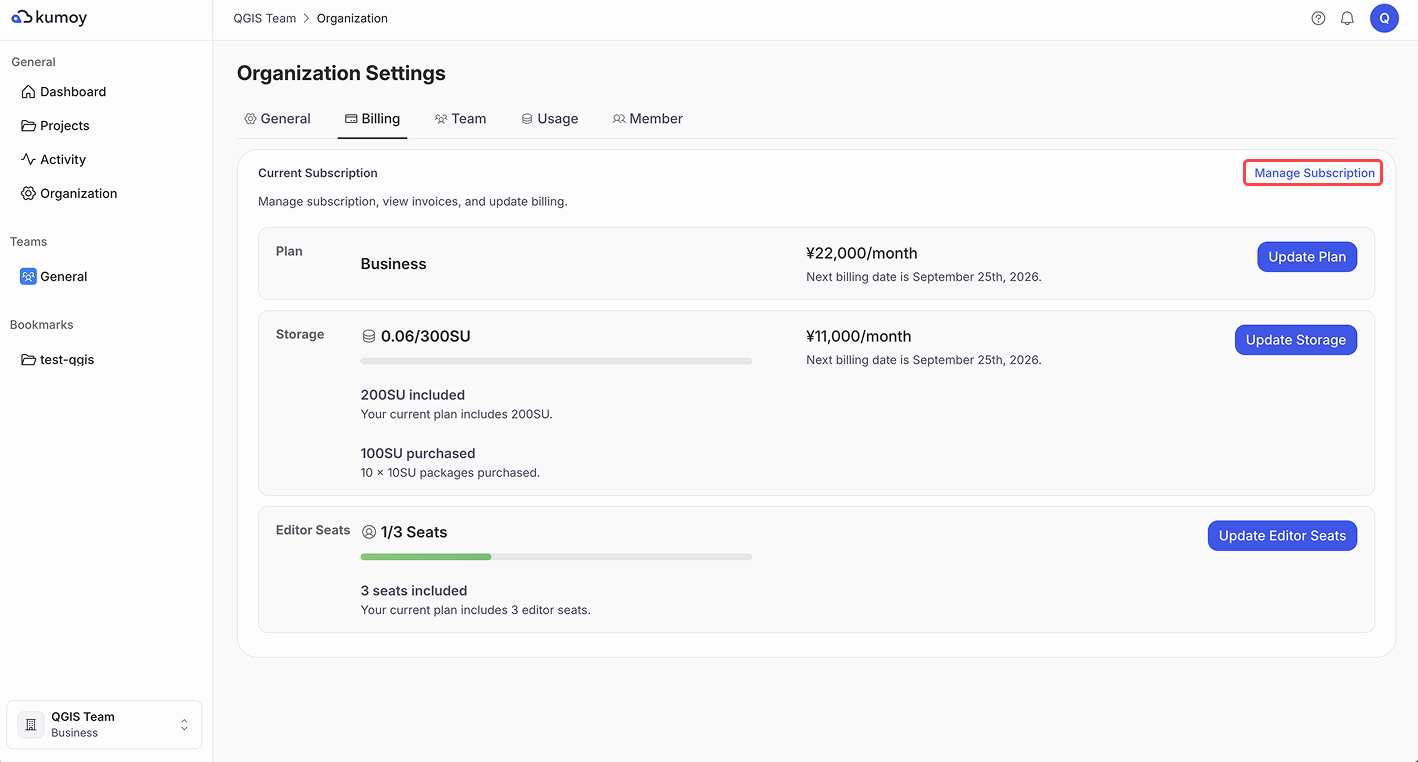
Open the Organization Settings tab, select the Billing sub-tab, and click Manage subscription.
-
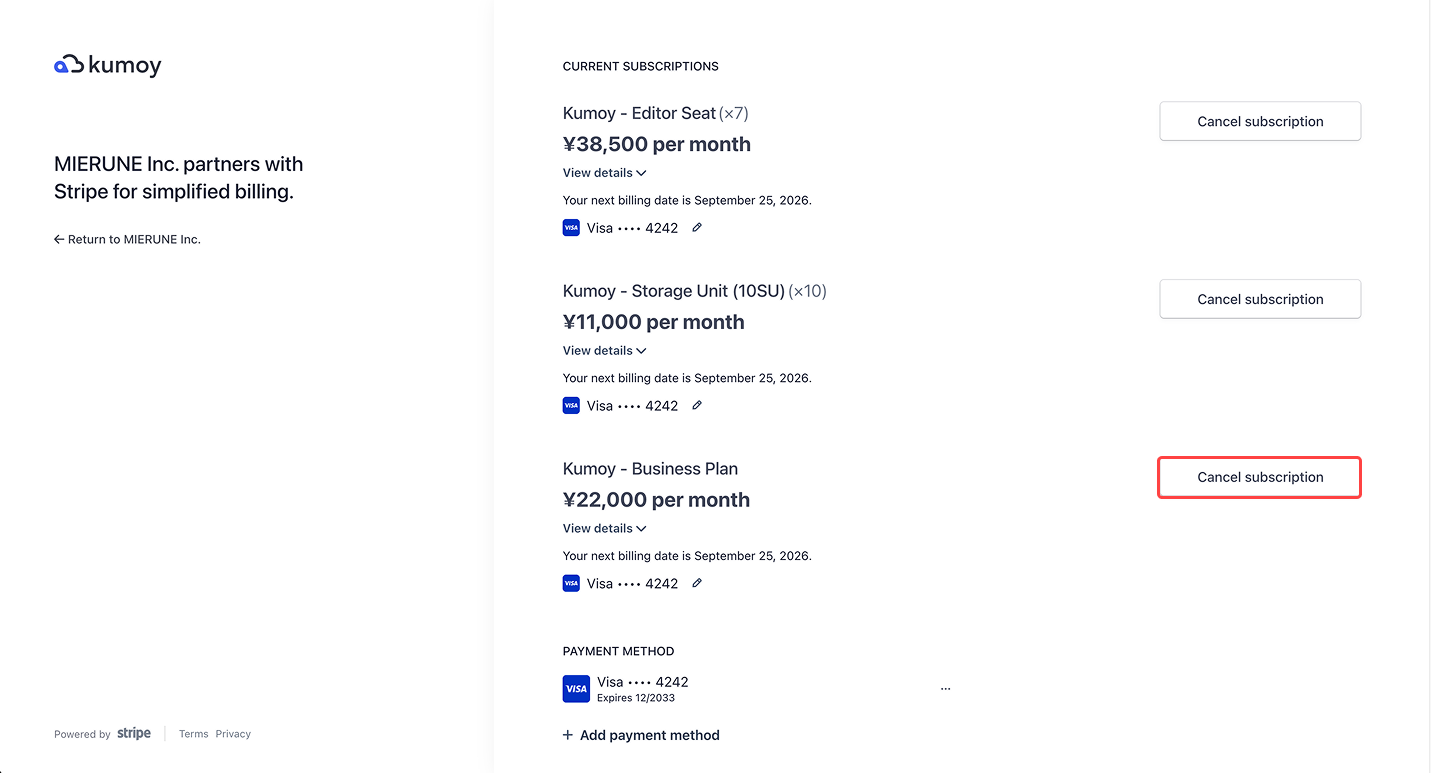
On the subscription management page, click Cancel subscription for the plan you want to cancel.
-
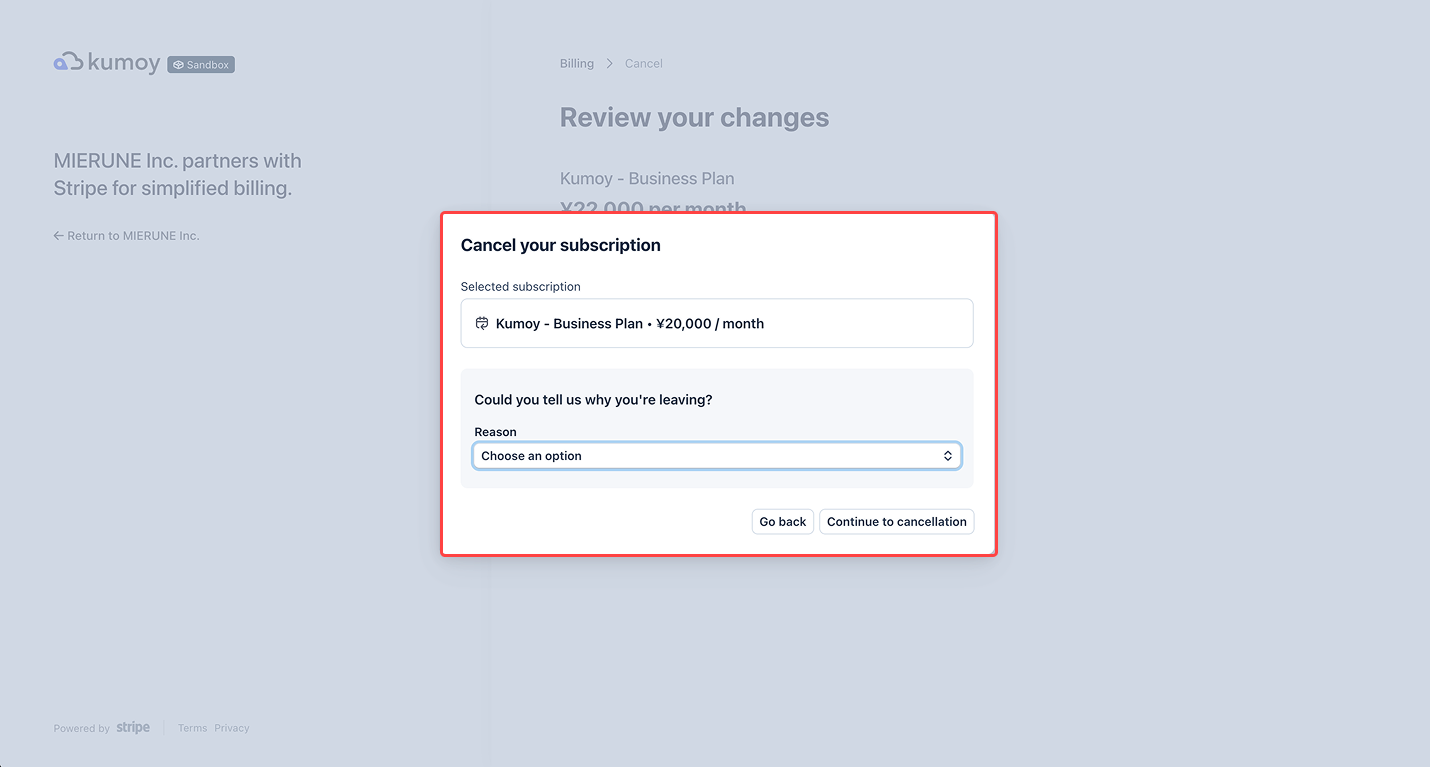
Complete the survey and click Submit.
-
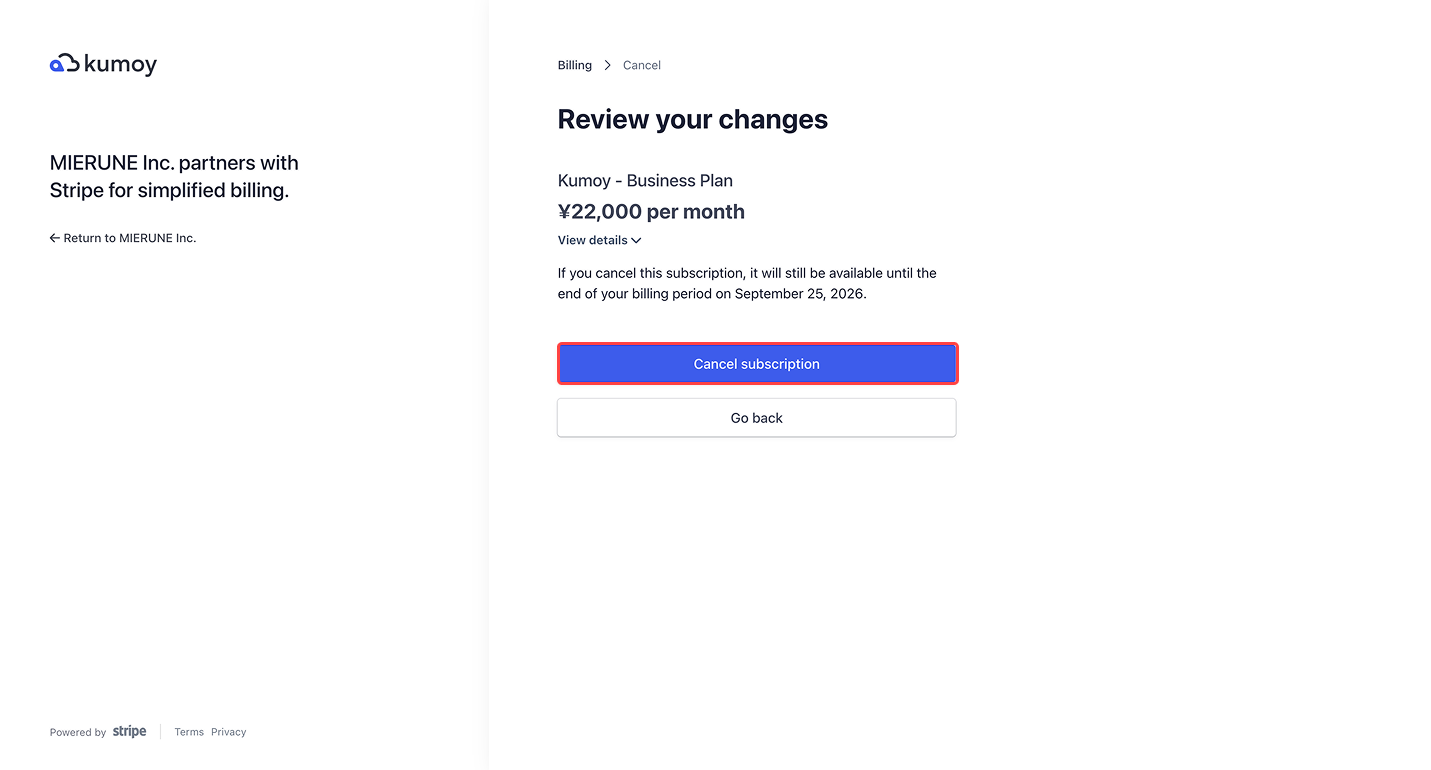
Review the details, then click Cancel subscription.
-
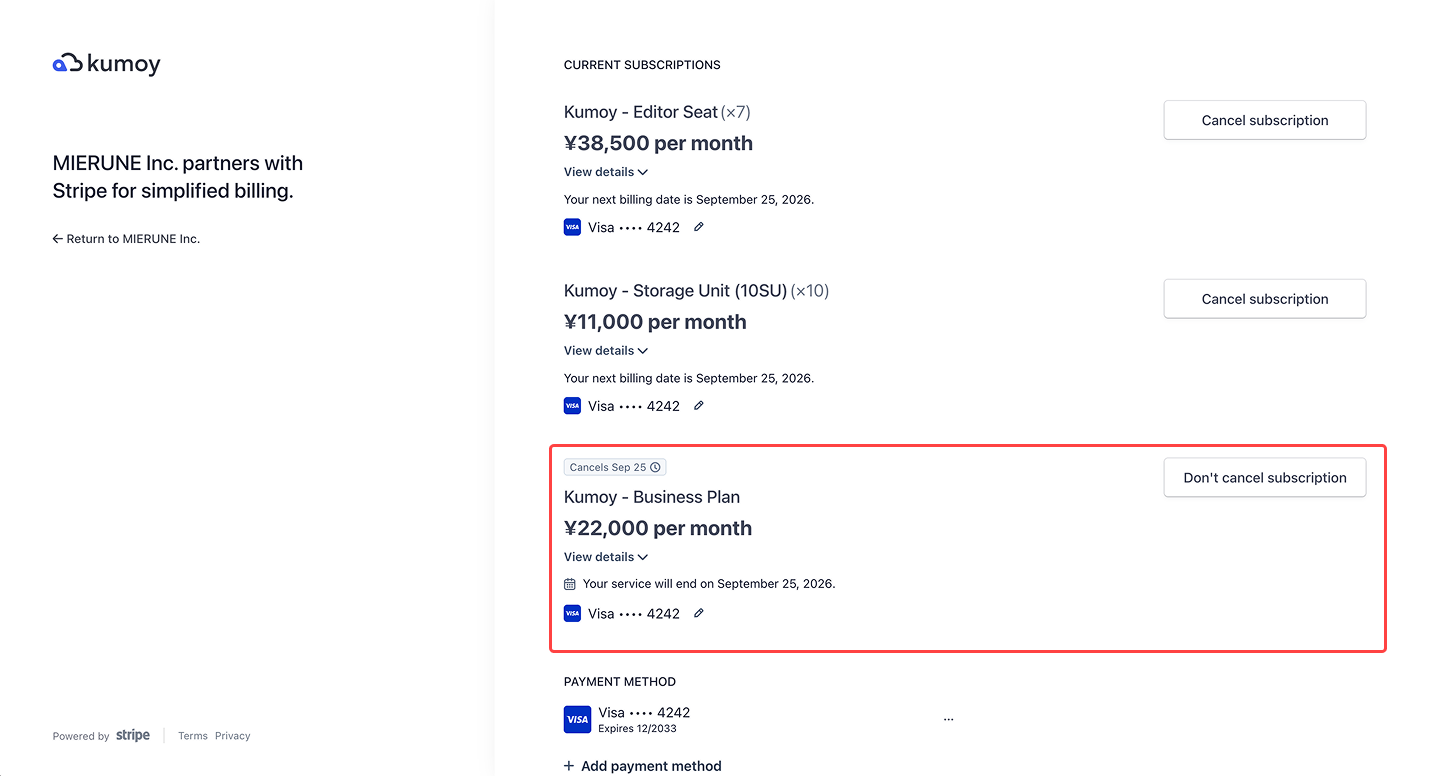
Once the cancellation is complete, you return to the billing page. Check your plan after cancellation.
Last update: Oct 7, 2026 23:52:25