Create an Organization and Project
After signing up, you'll be prompted to create your first organization and project.
NoteOn the Community plan, you can create up to 2 organizations.
Create an Organization#
-
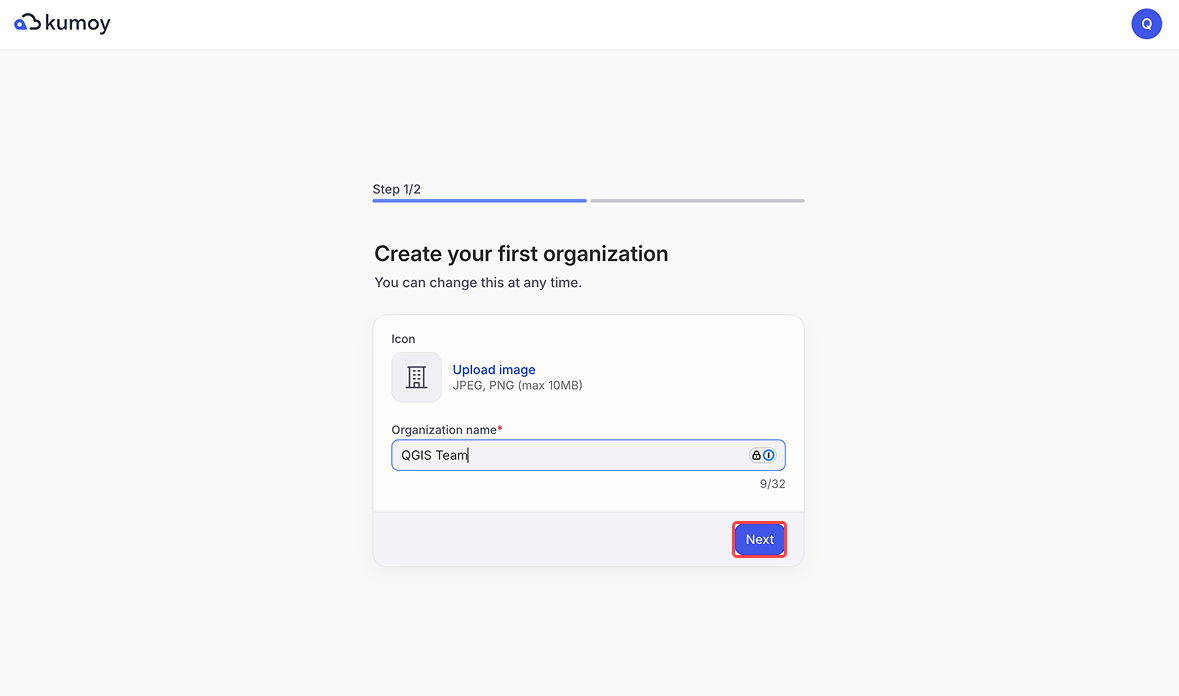
Enter the organization name and click Next.
-
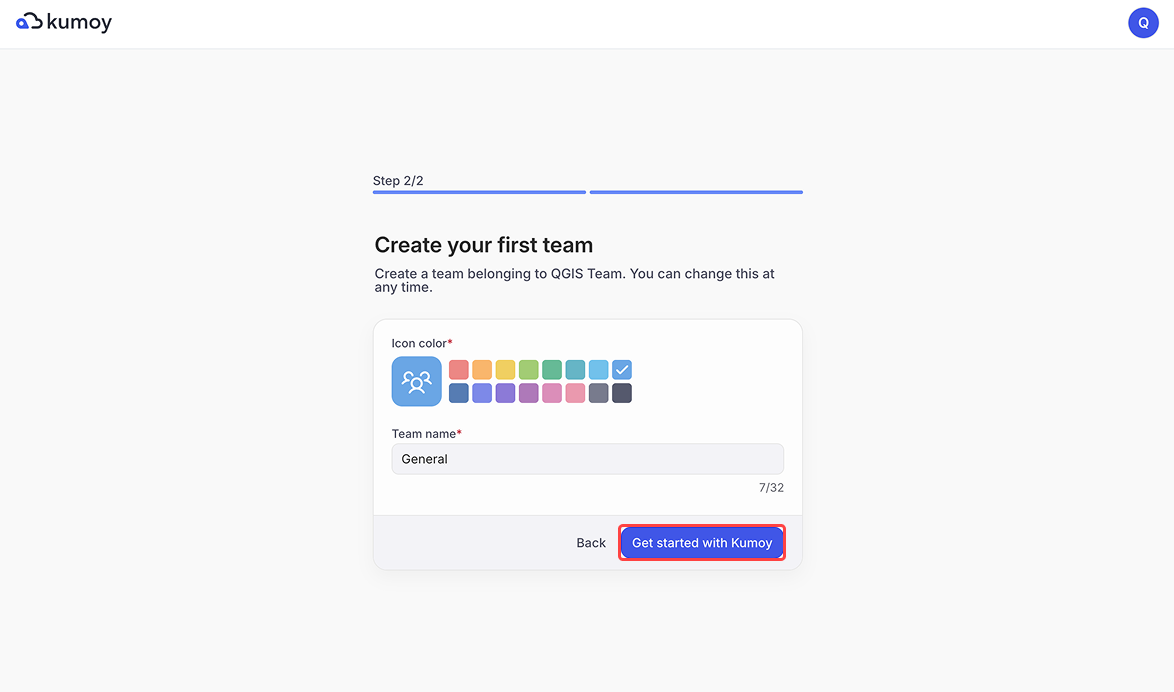
An organization must have at least one team. Enter the team name and click Get started with Kumoy.
-
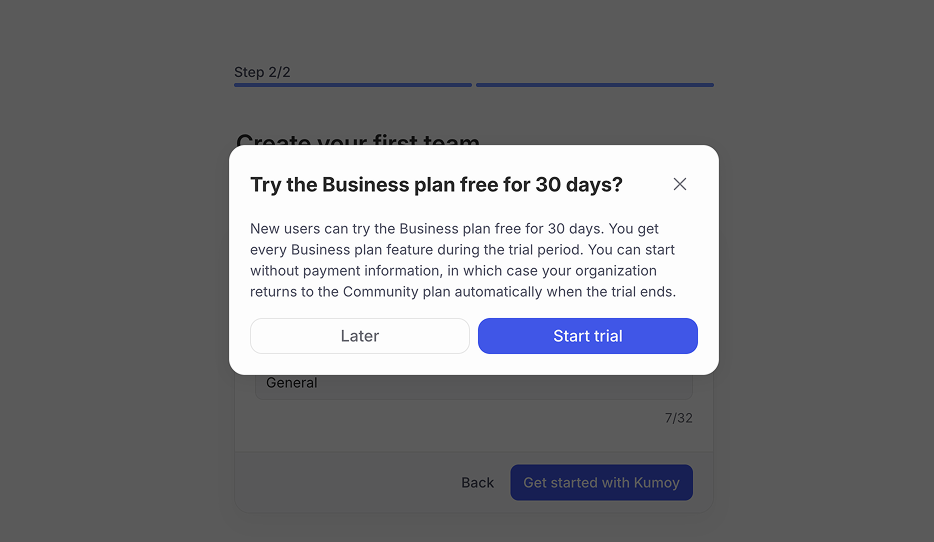
The Business plan trial prompt appears. Click Start trial to begin now, or Later to try it later. For details, see Business plan free trial.
-
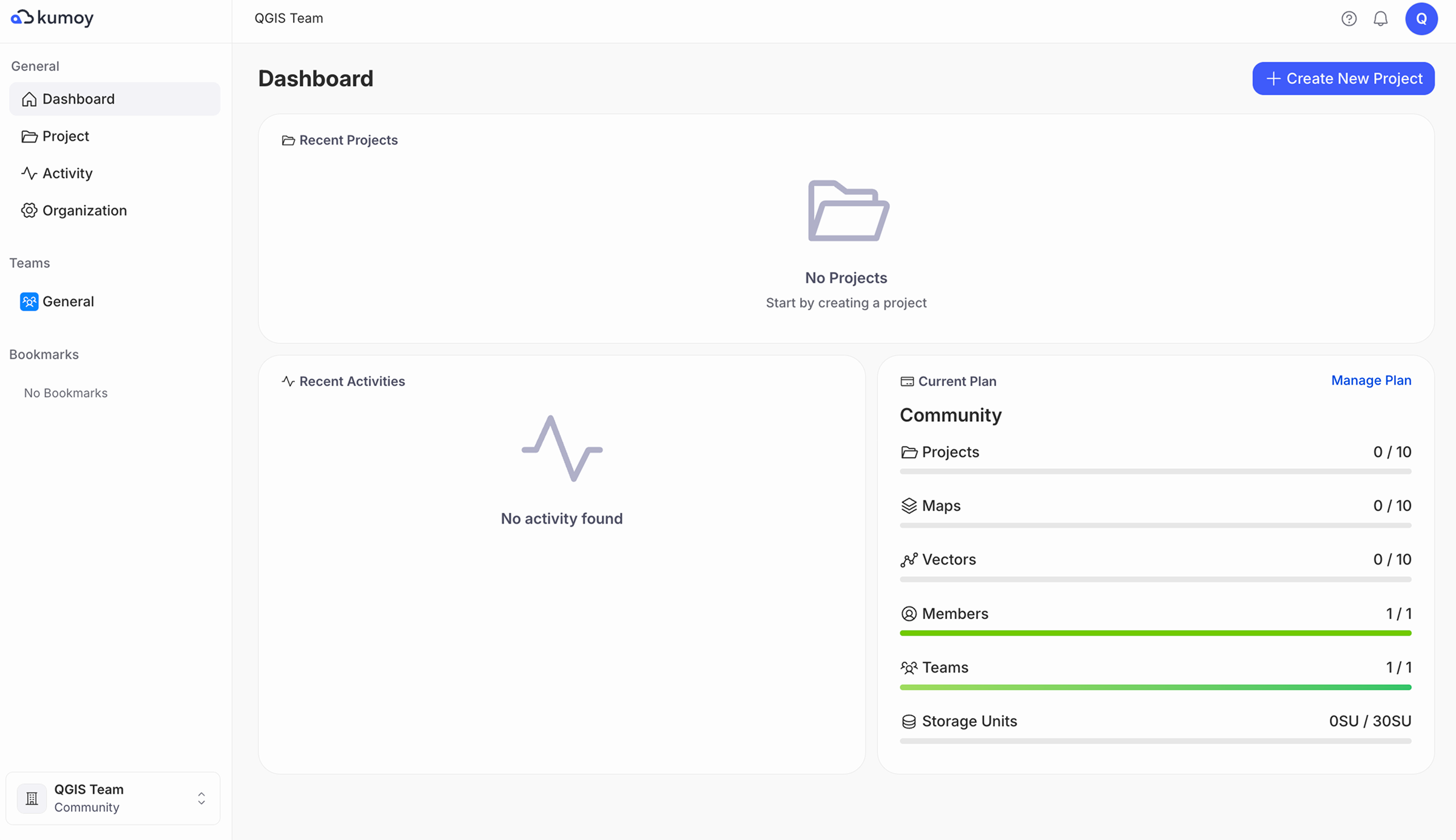
The dashboard opens with your new organization selected.
Create a Project#
-
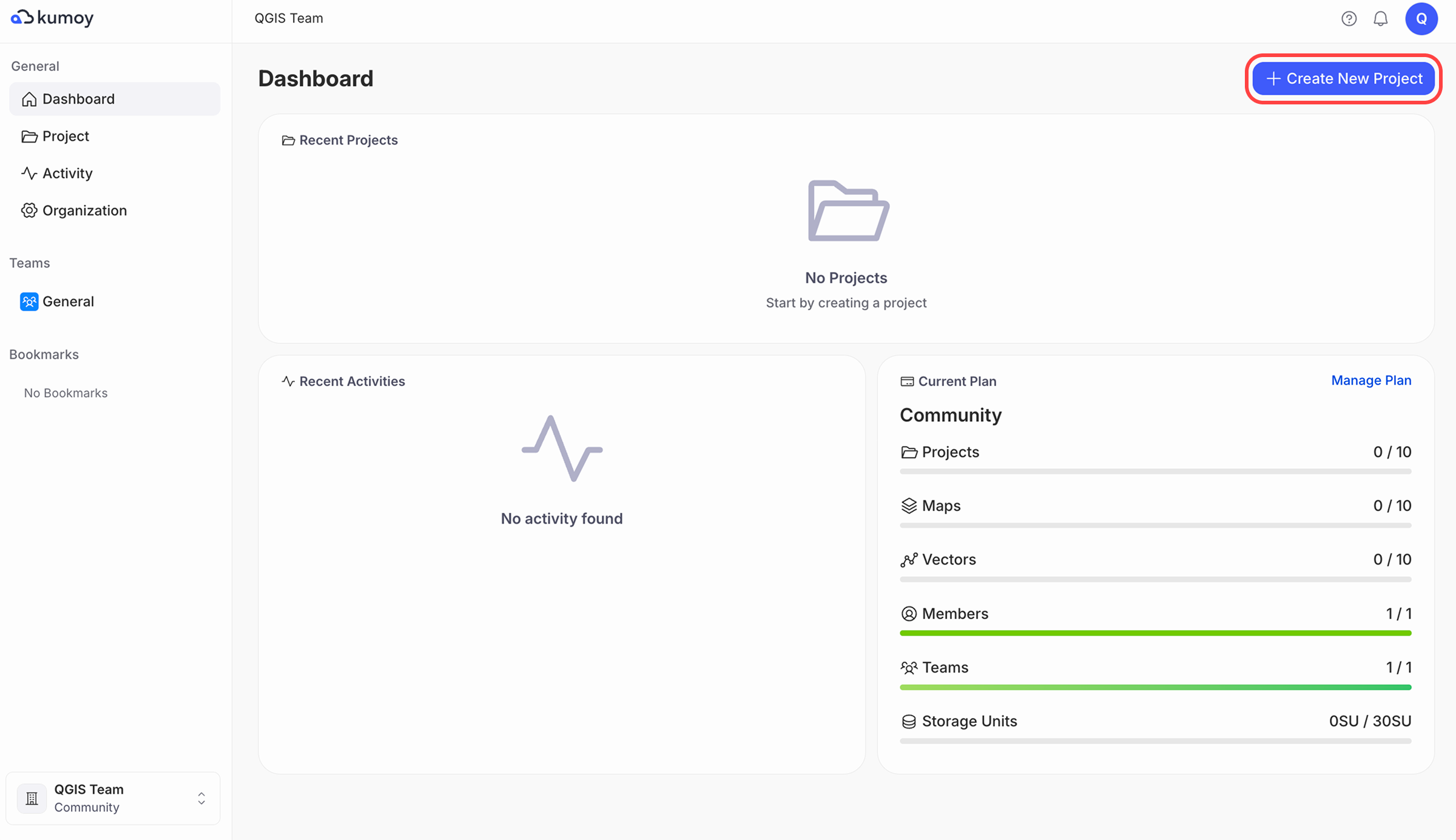
After creating the organization, click Create new project on the dashboard.
NoteIf Create new project does not appear, you may not have an Editor seat or may not be an Editor in a team. Check Seats and Roles, then create a team if needed and add the member who will create projects as a team Editor.
-
Enter the project name, description, and other details, then click Create.

-
You'll be taken to your newly created project, which doesn't contain any maps, vectors, or rasters yet.

Next Step#
Next up: Install the Kumoy Plugin for QGIS.
Last update: Oct 7, 2026 23:52:25