Select an Organization and Project in QGIS
Once you've created an organization and project on the web, you need to select them in QGIS before you can start working.
How to Select#
-
Open QGIS and log in to Kumoy in the Browser panel.
-
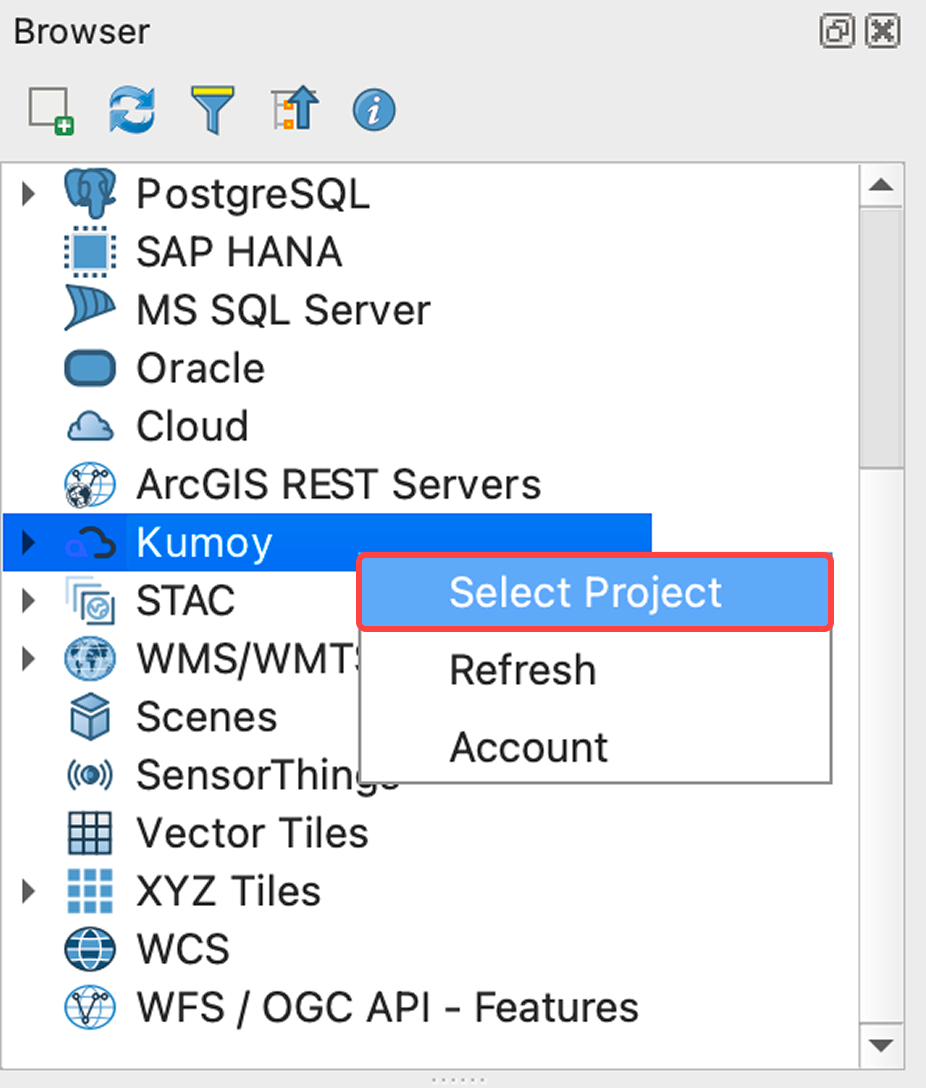
Right-click Kumoy in the Browser panel and click Select Project.
-
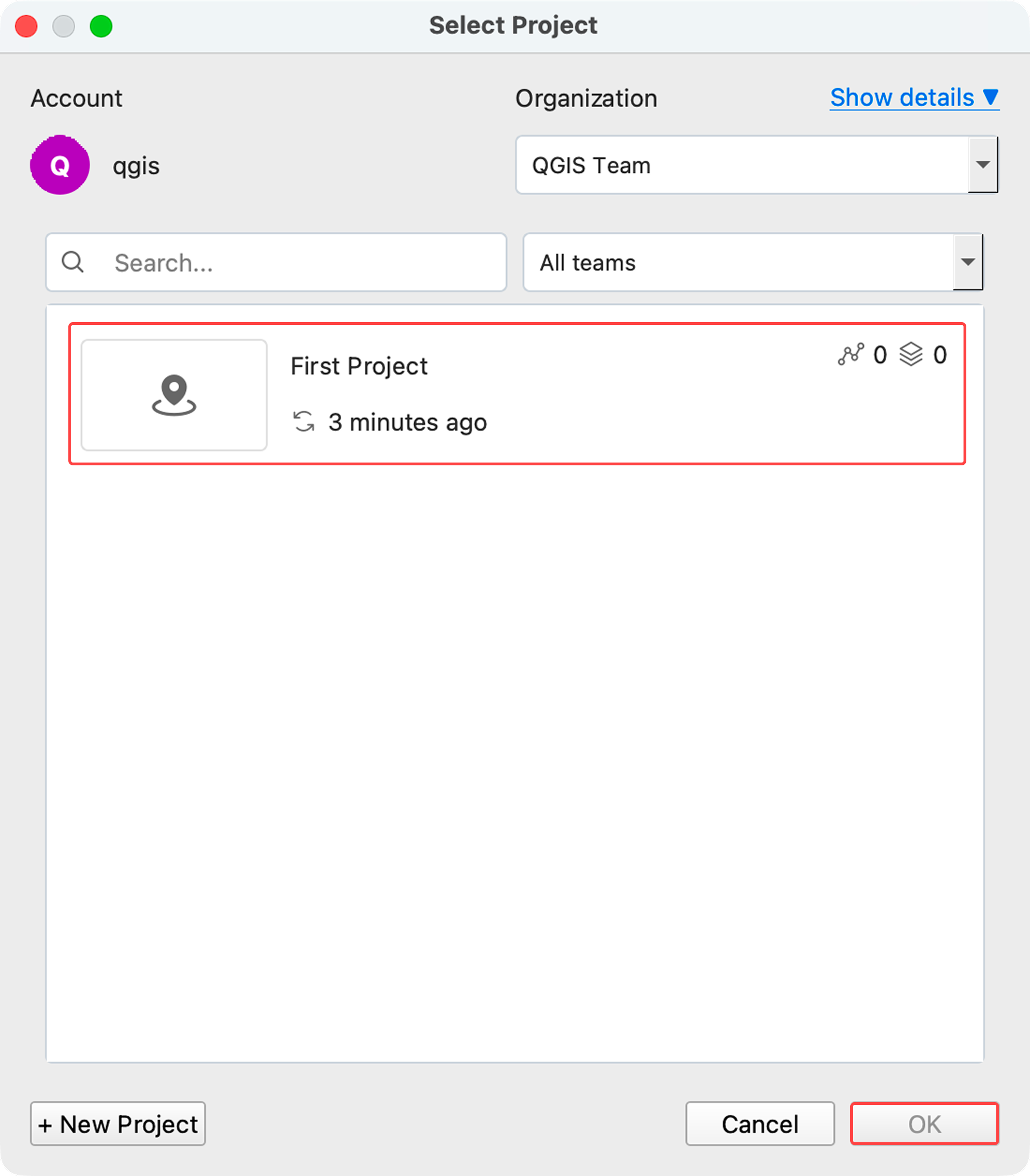
Select a project from the list and click OK.
-
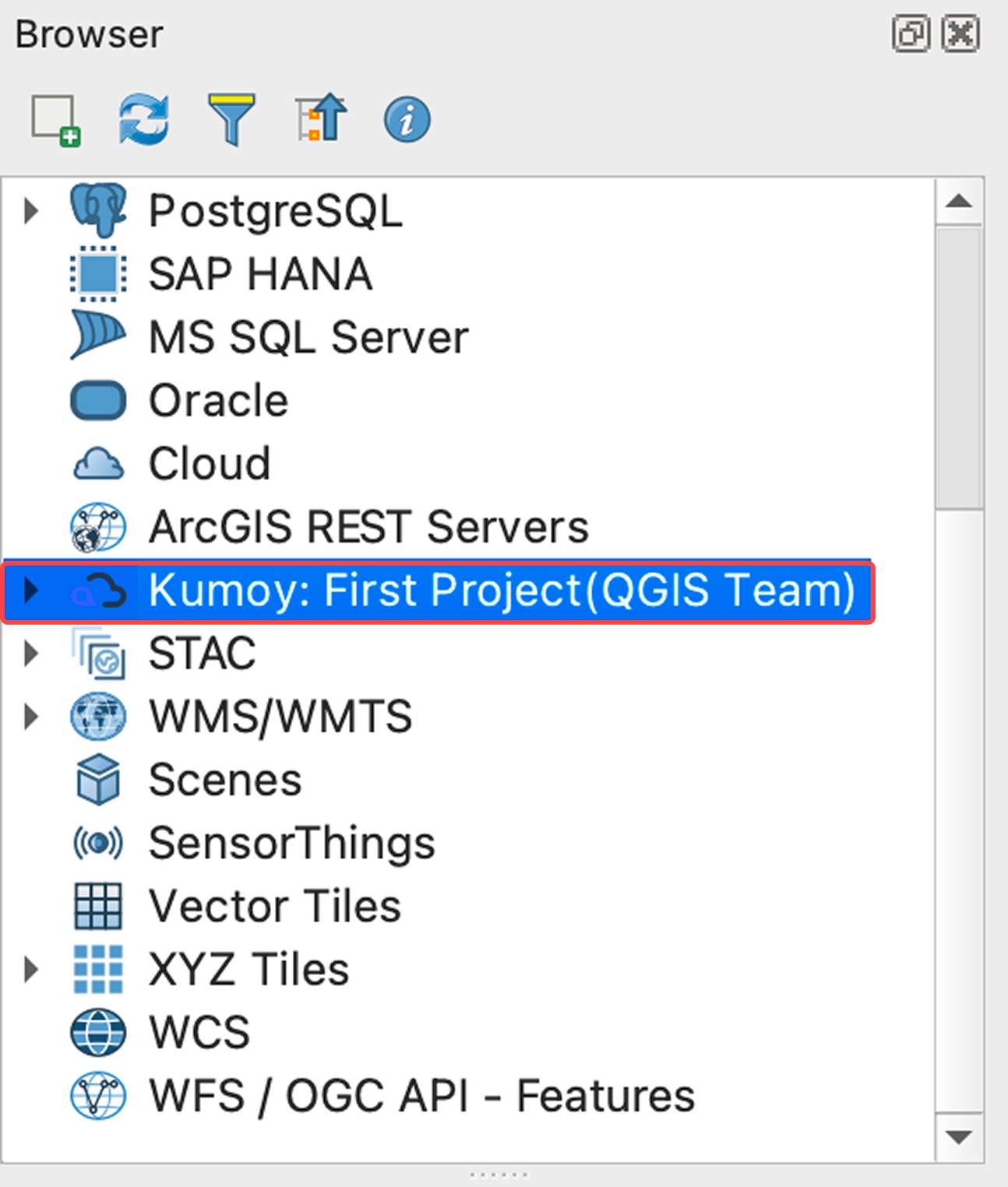
QGIS now shows the selected organization and project.
Next Step#
You're all set. Next up: Create Your First Map with Kumoy.
Last update: Oct 7, 2026 23:52:25