Update the QGIS Plugin
The Kumoy QGIS plugin is updated regularly with new features and bug fixes. Keeping it up to date ensures you have access to the latest improvements.
Follow the steps below to update.
Update Steps#
-
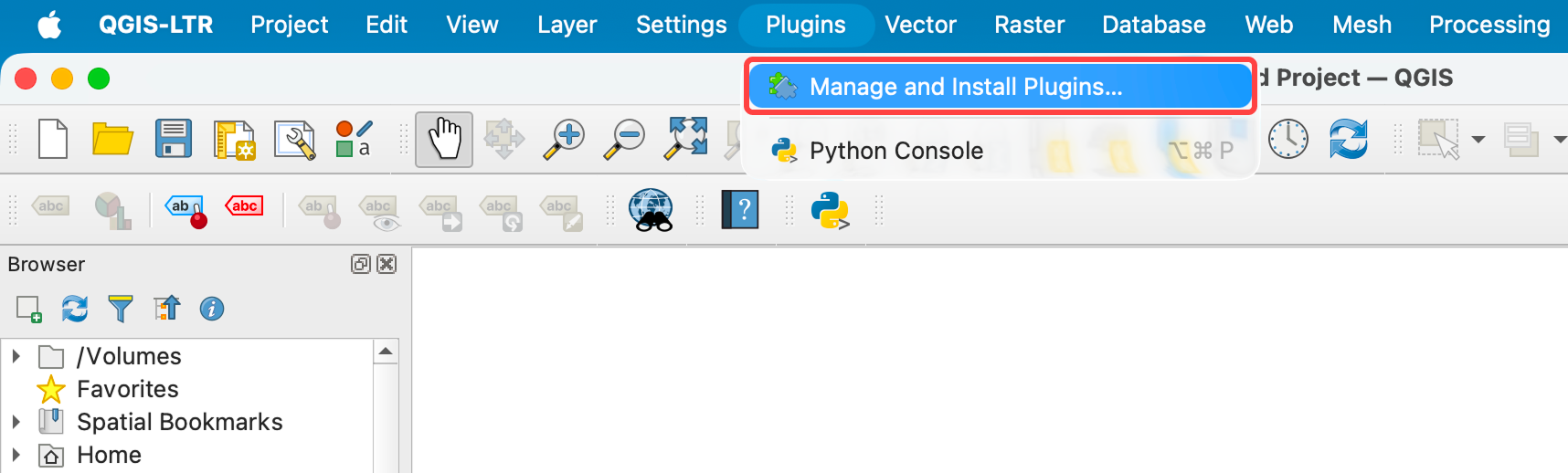
From the menu bar, select Plugins → Manage and Install Plugins.
-
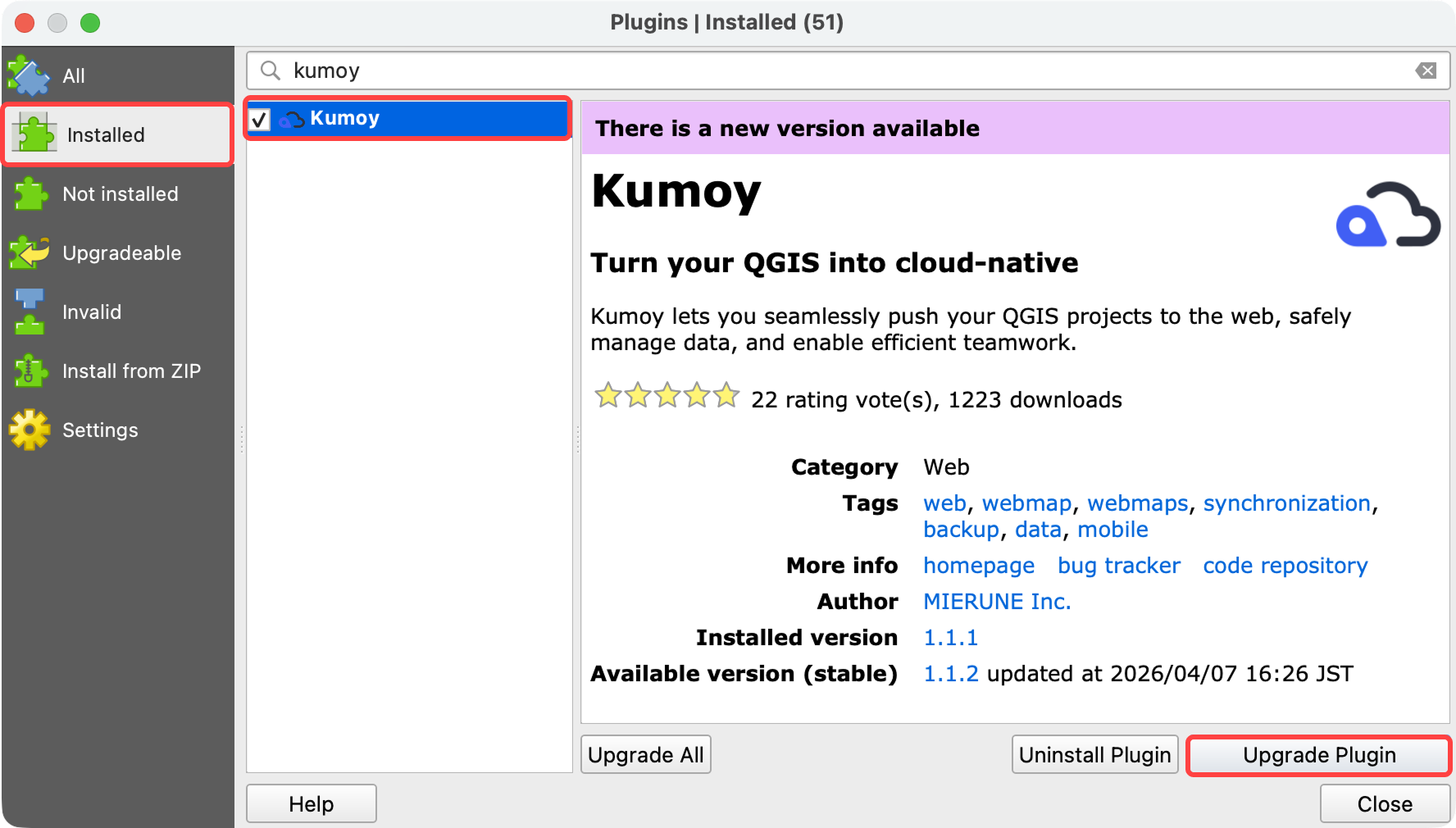
Select the Installed tab, choose Kumoy from the list, and click Upgrade Plugin.
-
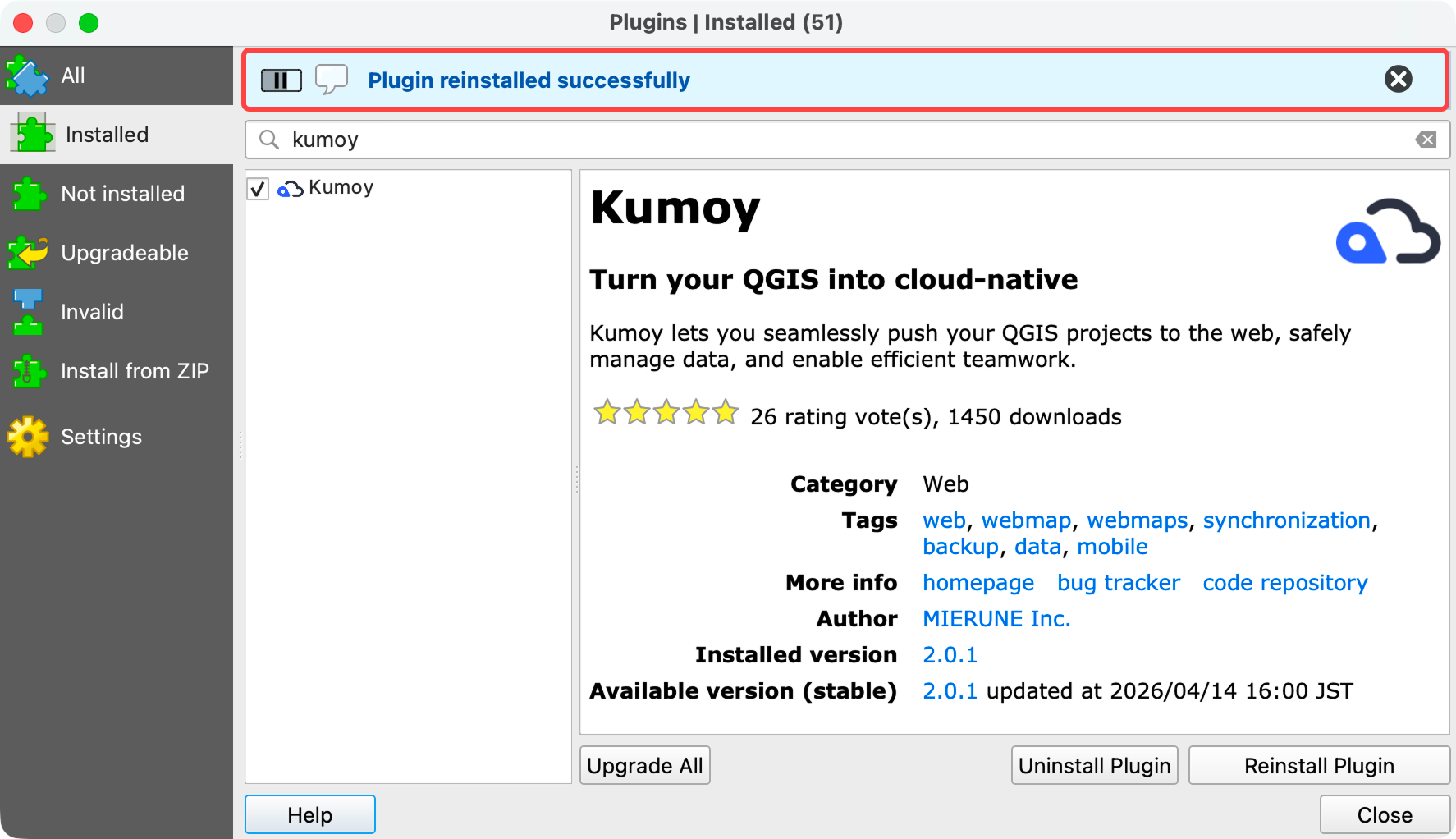
The plugin is now up to date.
Last update: Oct 7, 2026 23:52:25