Data Sync & Collaborative Editing
This page explains data synchronization and conflict behavior when multiple users work on the same vectors or maps simultaneously.
NoteEditing requires an Editor seat and the Editor role in the target team. Members with Viewer seats can only view web maps and data. See Seats and Roles for details.
Overview#
Multiple users can view and edit the same data in Kumoy. However, there's no automatic conflict resolution. See the rules below for how conflicts are handled.
Capabilities and Limitations#
- Multiple users can view and edit the same vector or map in QGIS simultaneously.
- Kumoy has no exclusive locking mechanism to prevent conflicting edits.
- If multiple users edit the same feature at the same time, their edits might clash or overwrite one another.
TipTo play it safe, decide who edits which features before you start. Dividing the work in advance prevents any accidental overlaps.
Syncing Data#
If you have a vector open in QGIS and another user edits and saves it, your view won't update automatically. To pull in the latest changes, re-sync the layer.
-
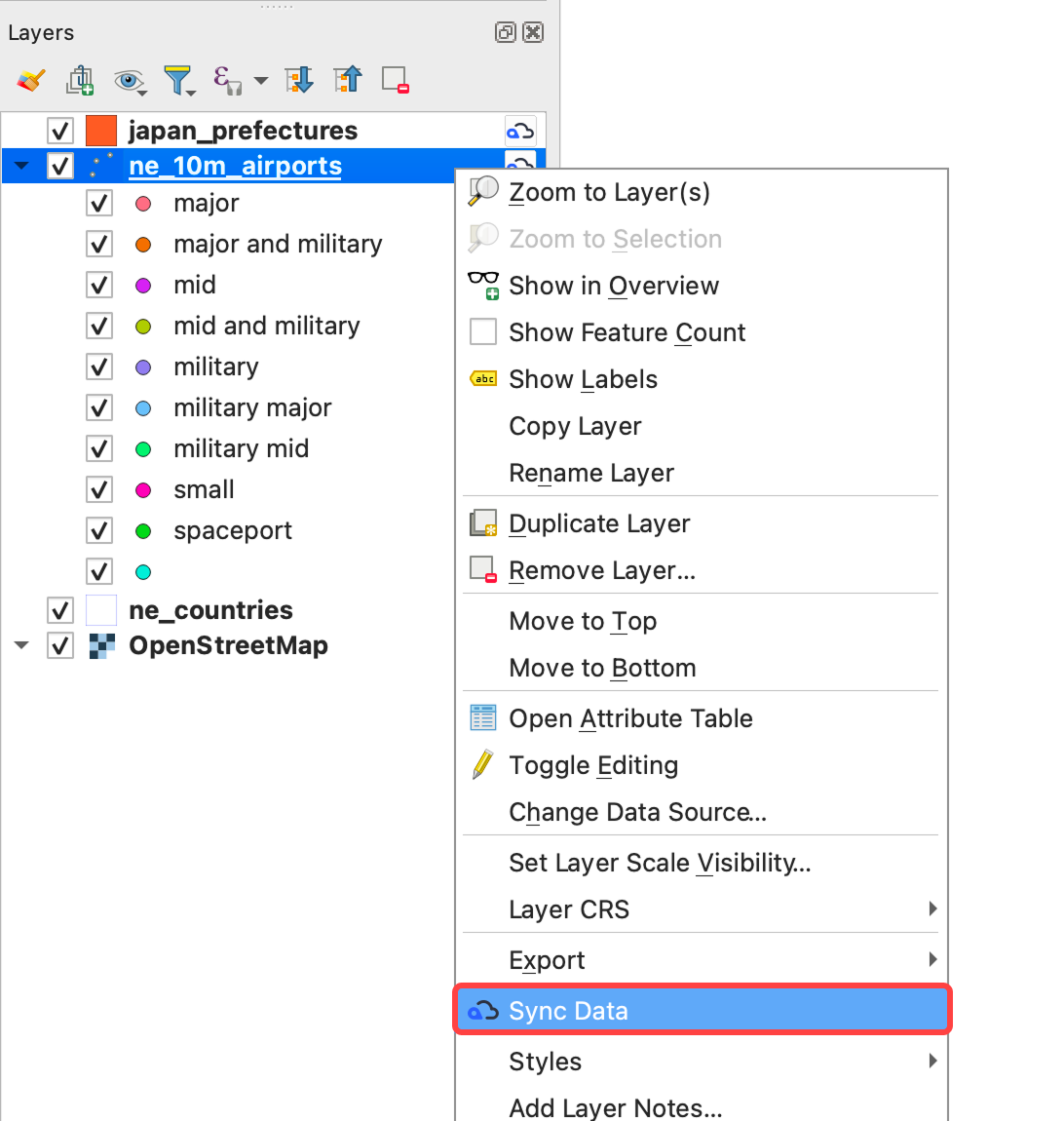
Right-click the target layer and click Sync data.
-
The sync is complete.
Conflict Resolution Rules#
Kumoy tracks feature changes by their ID (e.g. Kumoy_id):
- In general, the last saved change wins.
- Deletions take priority: if a feature was deleted, subsequent edits to it by other users are discarded.
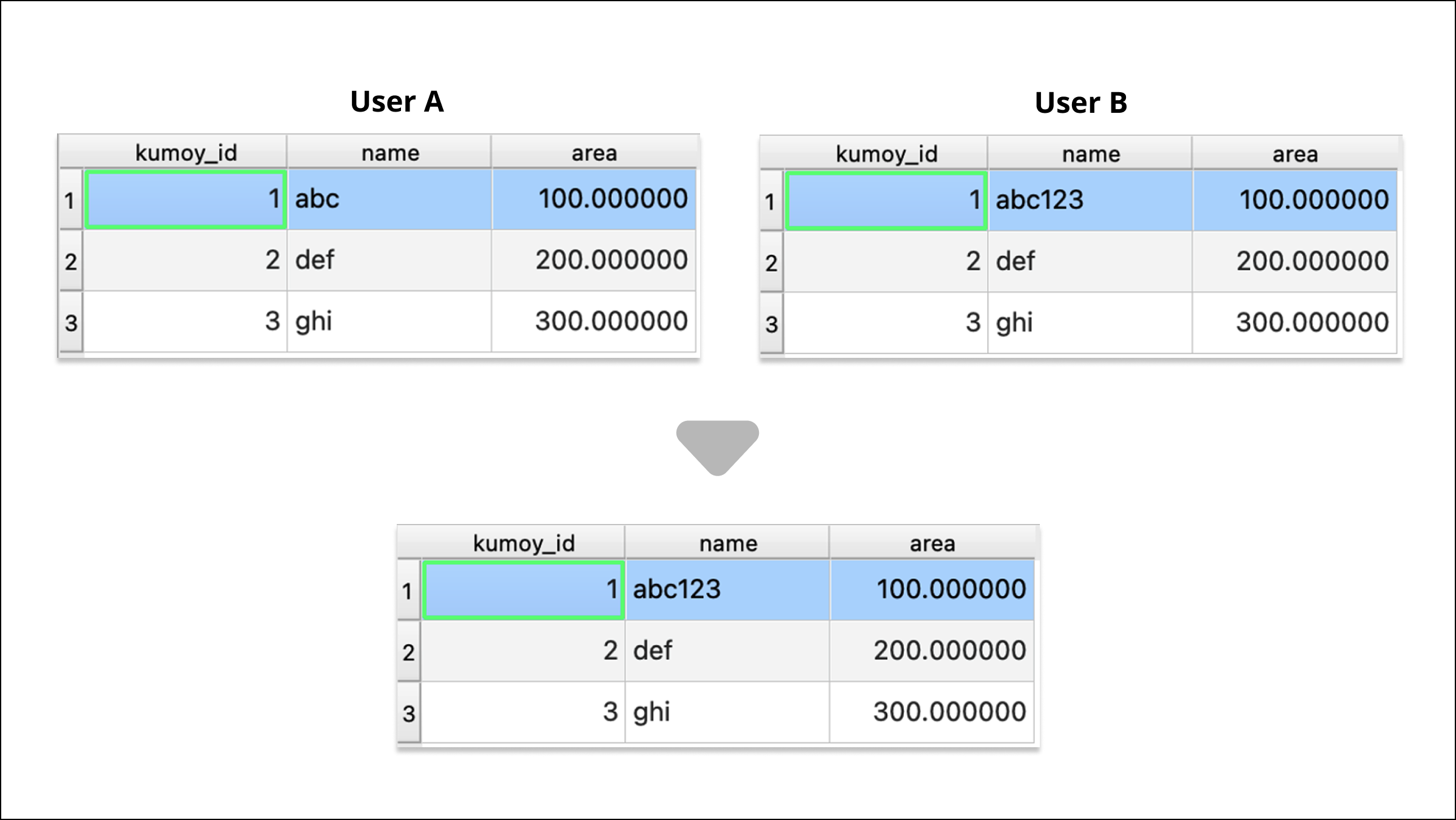
1. Multiple users edit the same feature (last save wins)#
- User A changes the
nameof the feature withKumoy_id = 1toabcand saves. - User B then changes the
nameof the same feature toabc123and saves.
The change saved last by User B takes effect, and abc123 is ultimately saved.
2. A deleted feature is edited by another user (deletion wins)#
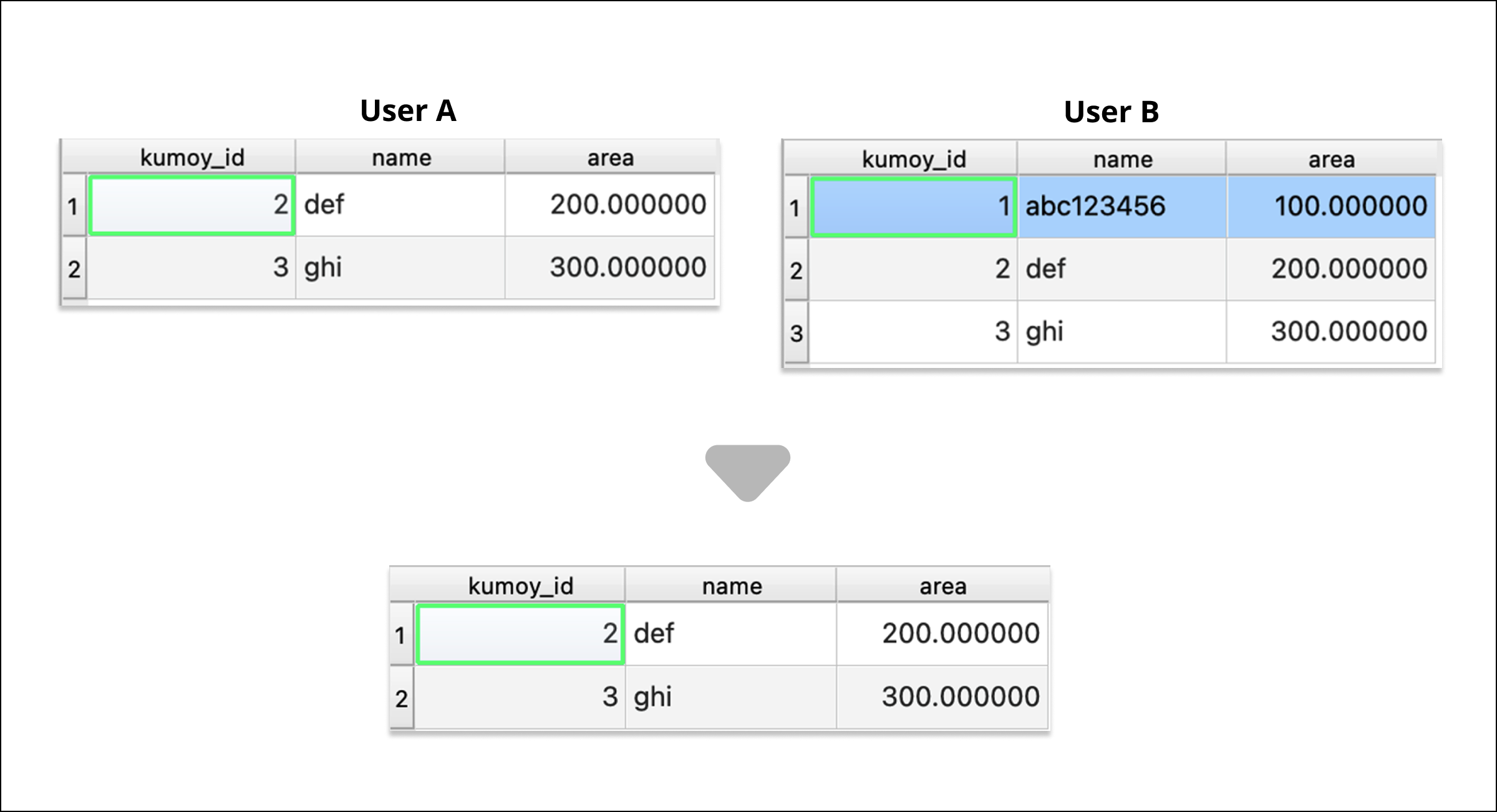
- User A deletes the feature with
Kumoy_id = 1and saves. - User B then changes the
nameof the same feature and saves.
The feature with Kumoy_id = 1 remains deleted because User A's deletion takes priority.
Last update: Oct 7, 2026 23:52:25