Clear Cache
When you load Kumoy vectors or maps, QGIS creates temporary files (a cache) locally.
If you run into problems such as slow performance, a display that won't update, or errors, clearing the cache may help.
Clear the Vector Cache#
-
Open your Kumoy project in the QGIS Browser panel.
-
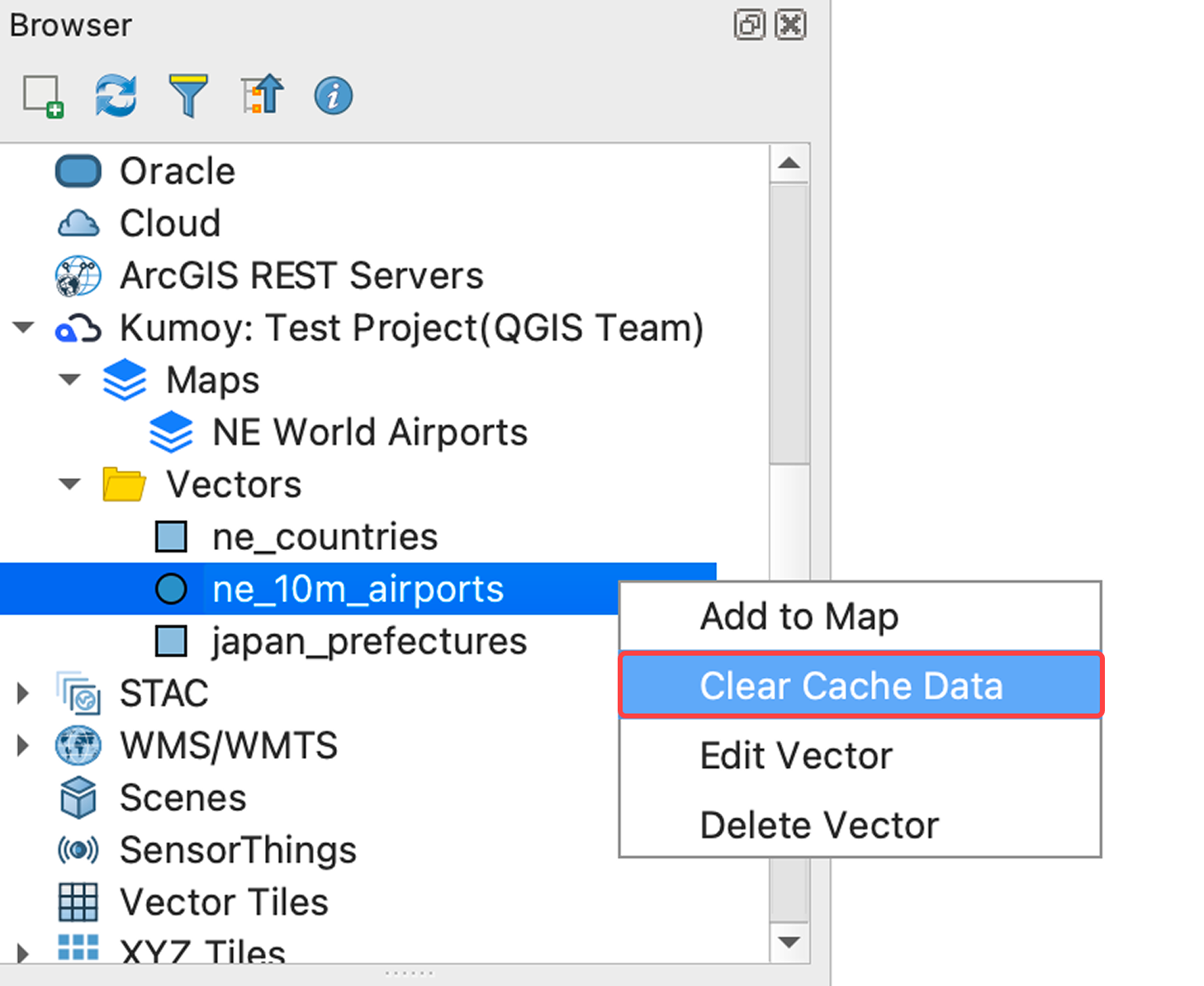
Open Vectors and right-click the vector whose cache you want to clear.
-
Click Clear Cache Data.
-
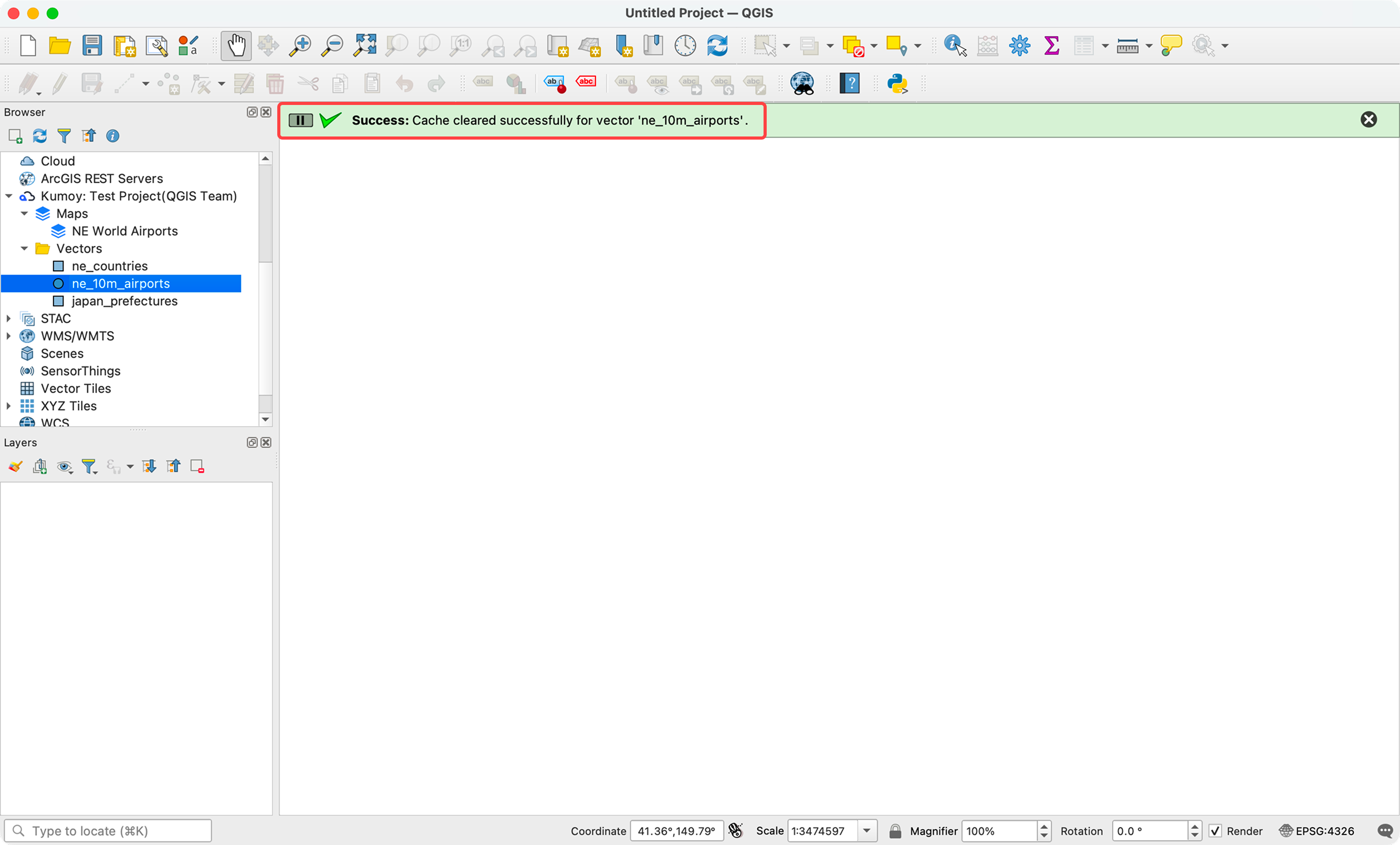
When the deletion is complete, the message "Cache cleared successfully." appears.
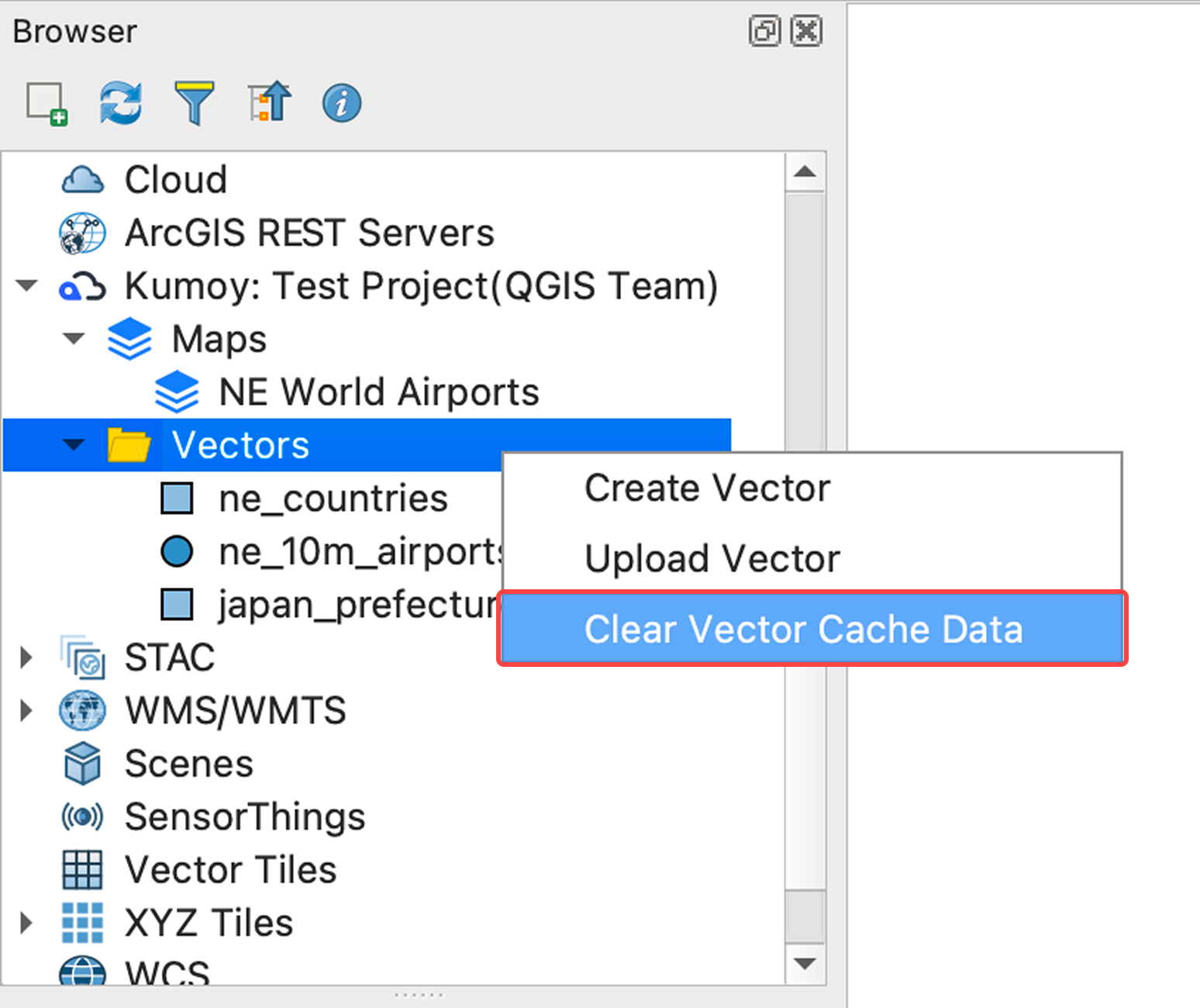
TipRight-click Vectors and select Clear Vector Cache Data to delete all vector caches at once.
Clear the Map Cache#
-
Open your Kumoy project in the QGIS Browser panel.
-
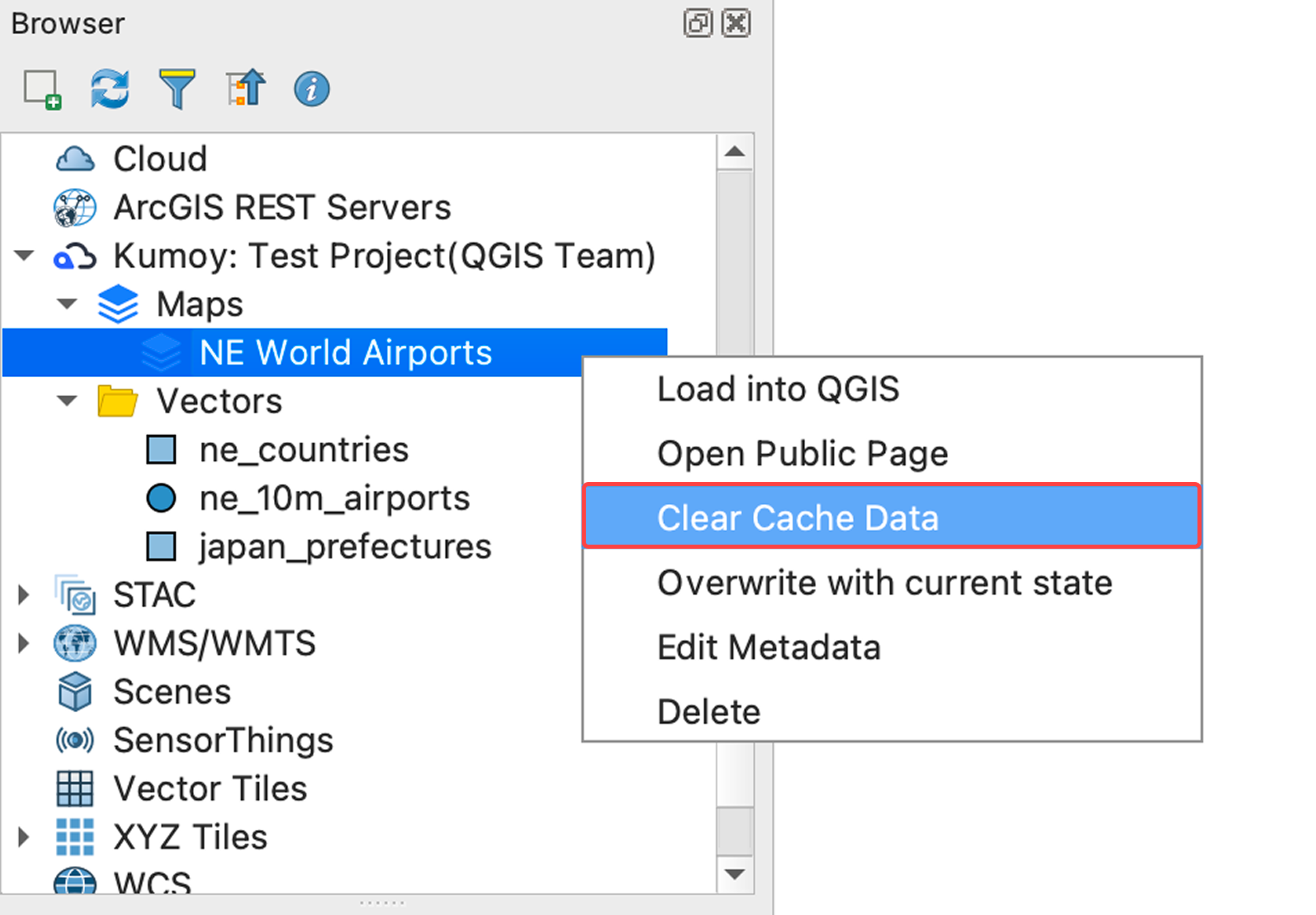
Open Maps and right-click the map whose cache you want to clear.
-
Click Clear Cache Data.
-
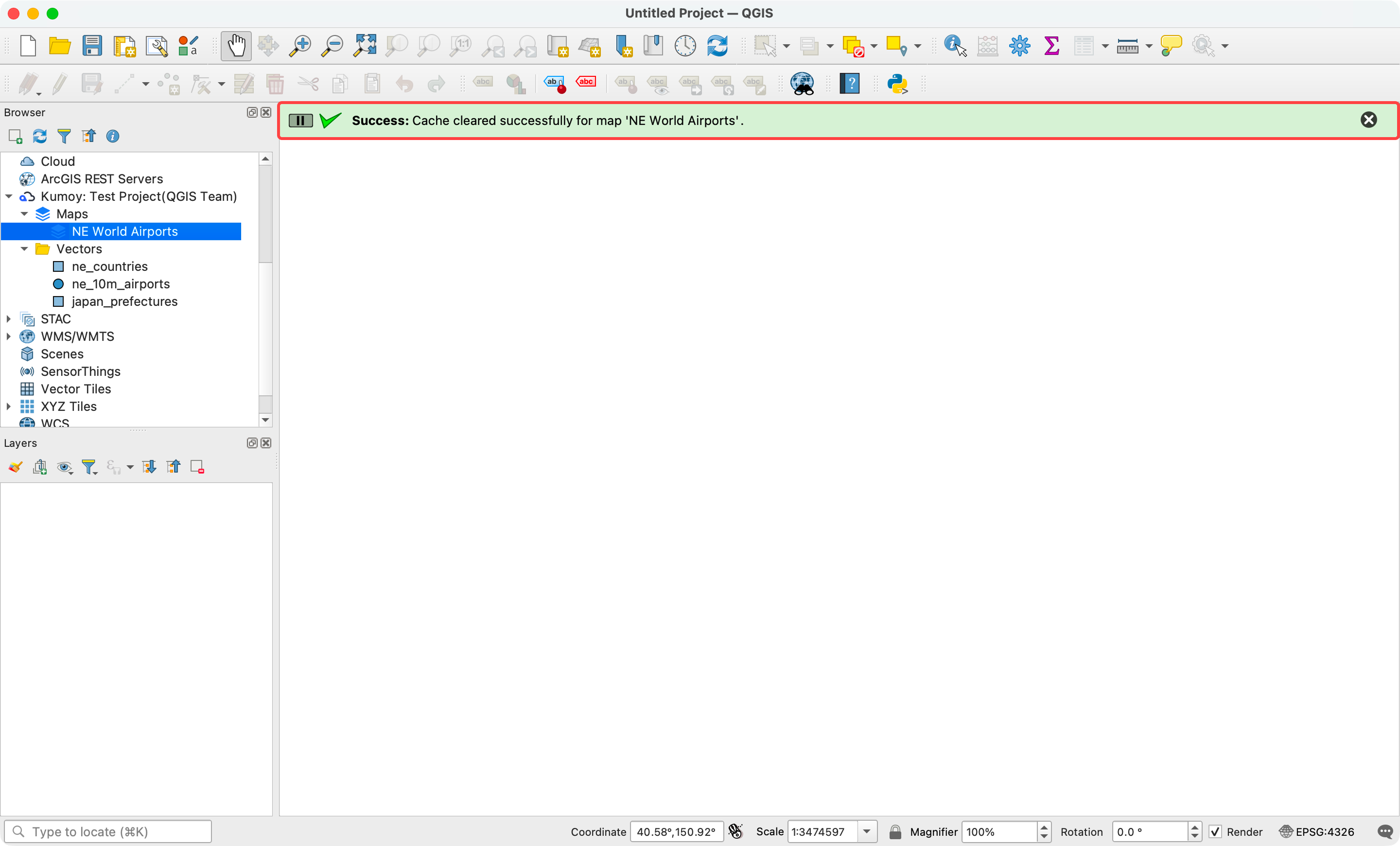
When the deletion is complete, the message "Cache cleared successfully." appears.
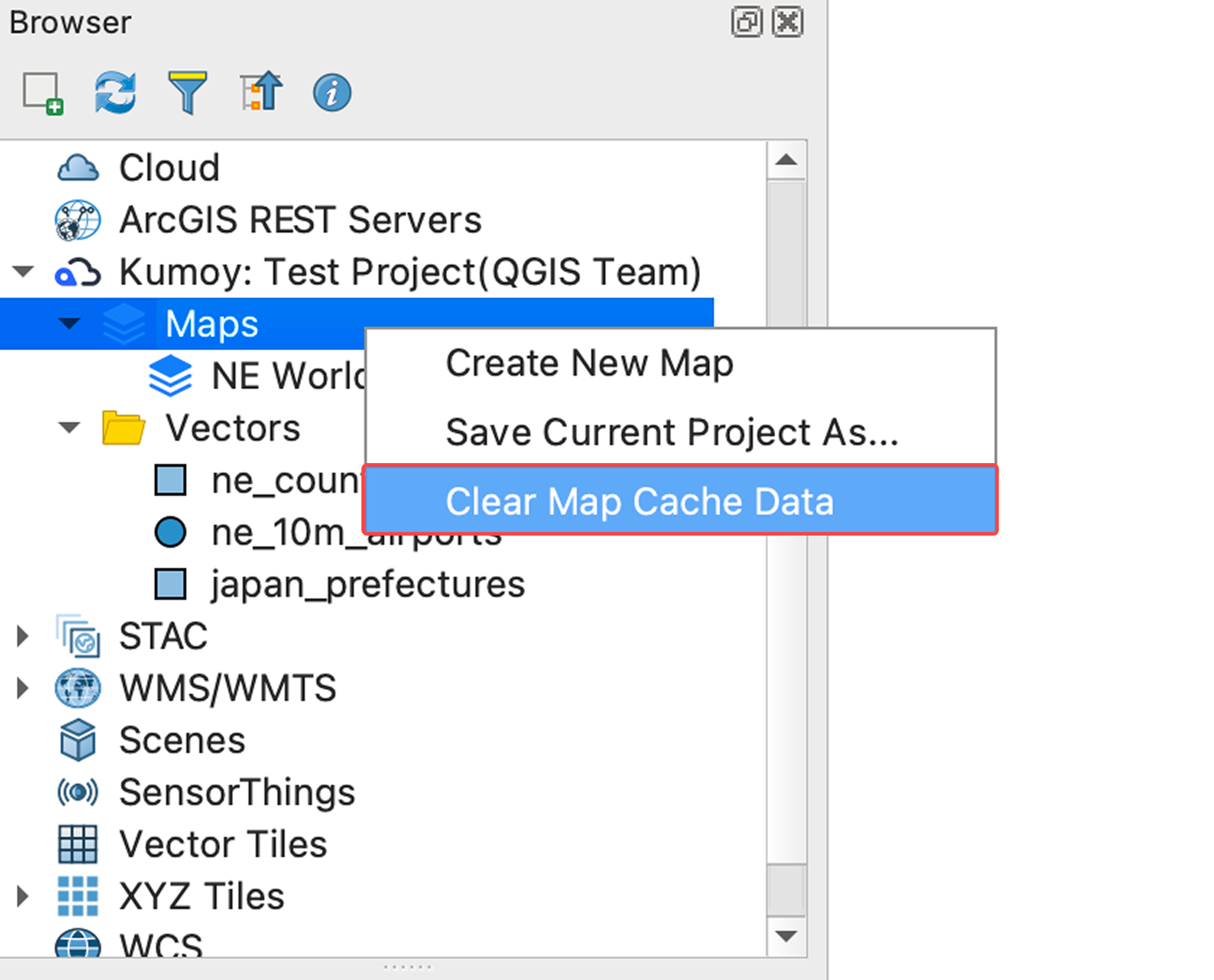
TipRight-click Maps and select Clear Map Cache Data to delete all map caches at once.
Last update: Oct 7, 2026 23:52:25