Supported Layers
Not all layers in a QGIS project render in the Kumoy web map. Kumoy displays only the layer types it explicitly supports.
This page lists the supported layer types and important display considerations.
Supported Layers#
Kumoy's web map currently supports the following three types of layers.
Vector#
- Vectors saved in Kumoy can be displayed as layers in the web map.
- You can overlay vectors on other layers.
- Clicking a feature on the map lets you view its attribute information.
Raster#
- Rasters uploaded from QGIS to Kumoy can be displayed as layers in the web map.
- Kumoy supports raster data that can be added to QGIS.
- Rasters can be displayed together with vectors and XYZ Tiles.
- Uploaded data is automatically converted to COG (Cloud Optimized GeoTIFF) inside Kumoy.
See Upload Vectors and Rasters for upload steps and Data Specifications and Limits for supported data and limitations.
XYZ Tiles#
- Standard XYZ Tiles such as OpenStreetMap can be used as background maps.
- If a QGIS project contains XYZ Tiles layers, they also appear as background maps in the web map.
- Terrain RGB / Terrarium elevation tiles are also supported for Hillshade (excluding coloring) and Singleband gray rendering.
TipElevation tiles configured in QGIS using the Terrain RGB / Terrarium format can also be used on the web map. This is useful for sharing terrain relief maps or elevation-based maps on the web. Rendering differences between QGIS and the Kumoy web map may cause slight variations in shadow intensity or grayscale tone.
NoteEven if XYZ Tiles are specified using
http, the web map requests them overhttps. Tiles not served overhttpsmay not be displayed.
Unsupported Layers#
-
The web map currently supports Kumoy vectors, Kumoy rasters, and XYZ Tiles.
-
Locally stored data or any other layer type does not appear in the web map.
-
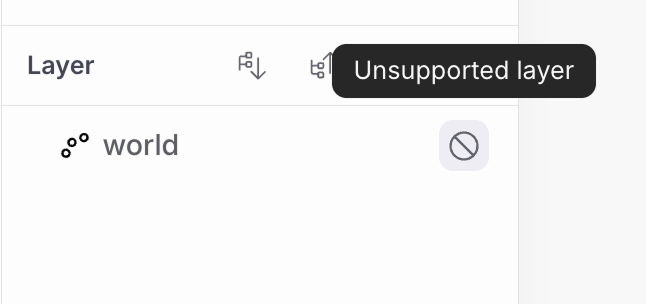
Unsupported layers are labeled Unsupported layer in the Layers panel.
Notes#
- Web map rendering reflects the QGIS project content saved in Kumoy.
- A layer visible in QGIS may not appear in the web map if its type is unsupported.
- Supported layer types and specifications may change in future updates.
Last update: Oct 7, 2026 23:52:25