Create a New Vector
New vectors can be created directly from the QGIS plugin. Creating vectors from the web is not yet supported.
About Vectors#
Kumoy vectors can be used just like regular QGIS vector layers.
- You can view, edit, and save them
- Saved edits are automatically synced to the cloud
Create a New Vector#
-
Log in to Kumoy in QGIS and open the target project.
-
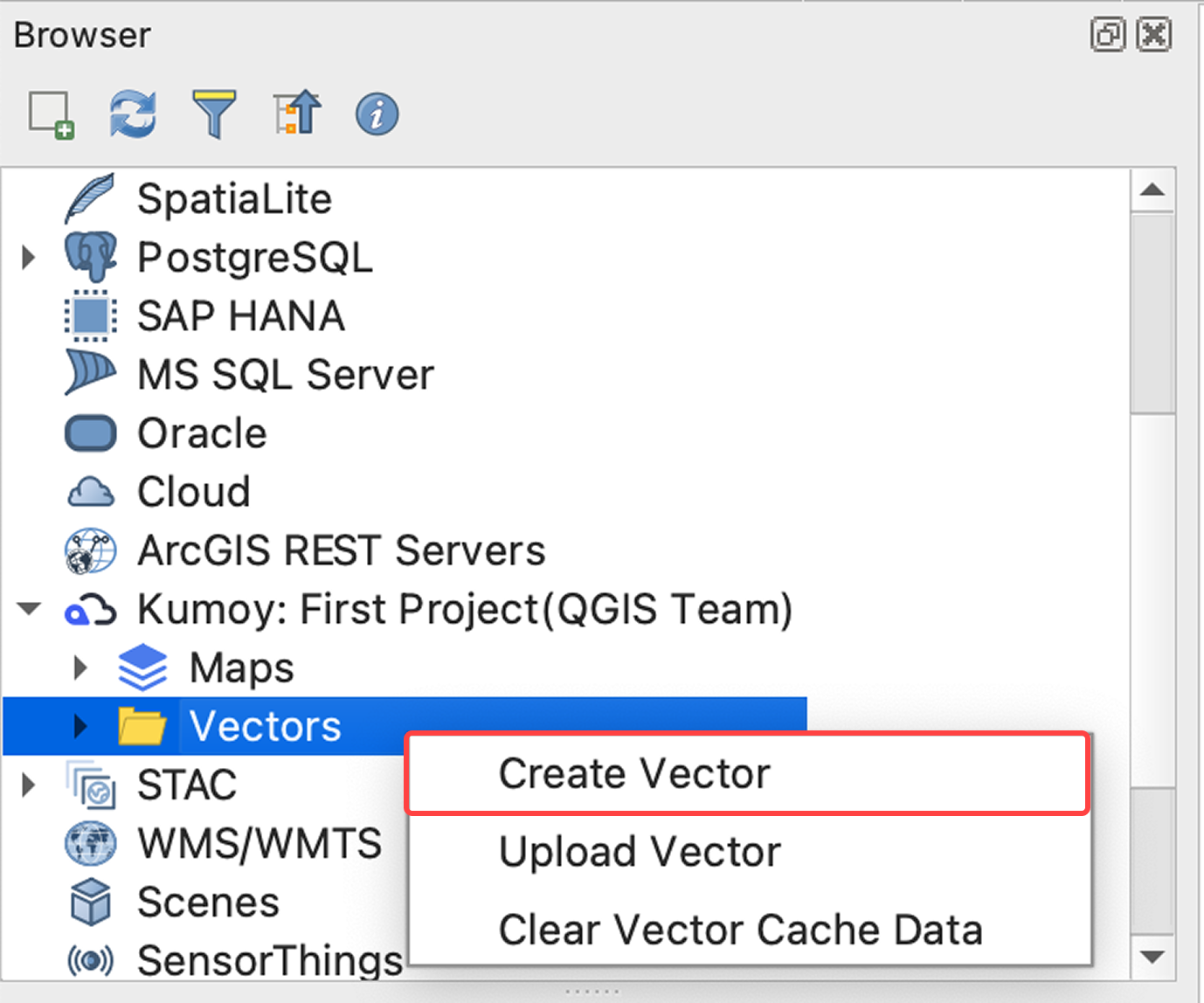
Right-click Vectors in the Browser panel and select Create Vector.
-
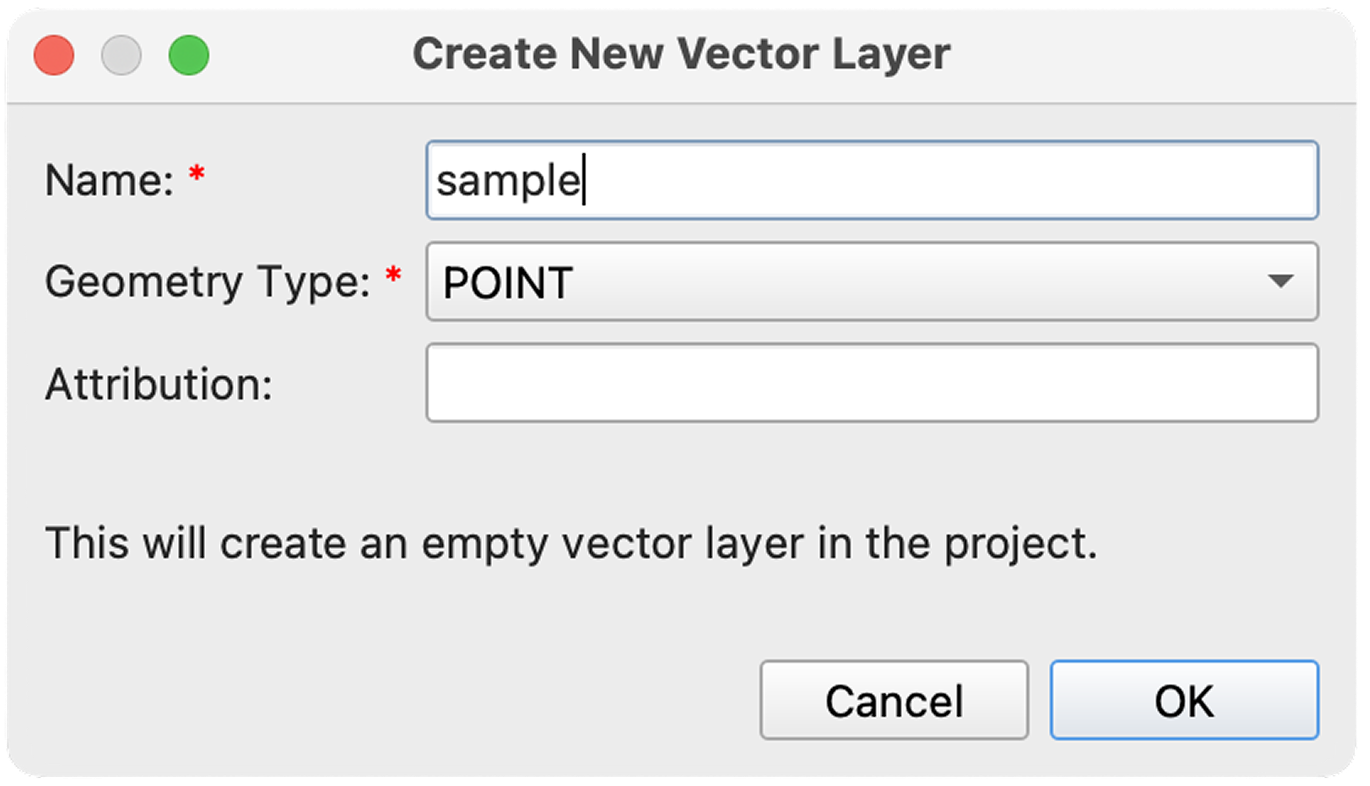
In the dialog, set the name and geometry type (POINT / LINESTRING / POLYGON), then click OK.
-
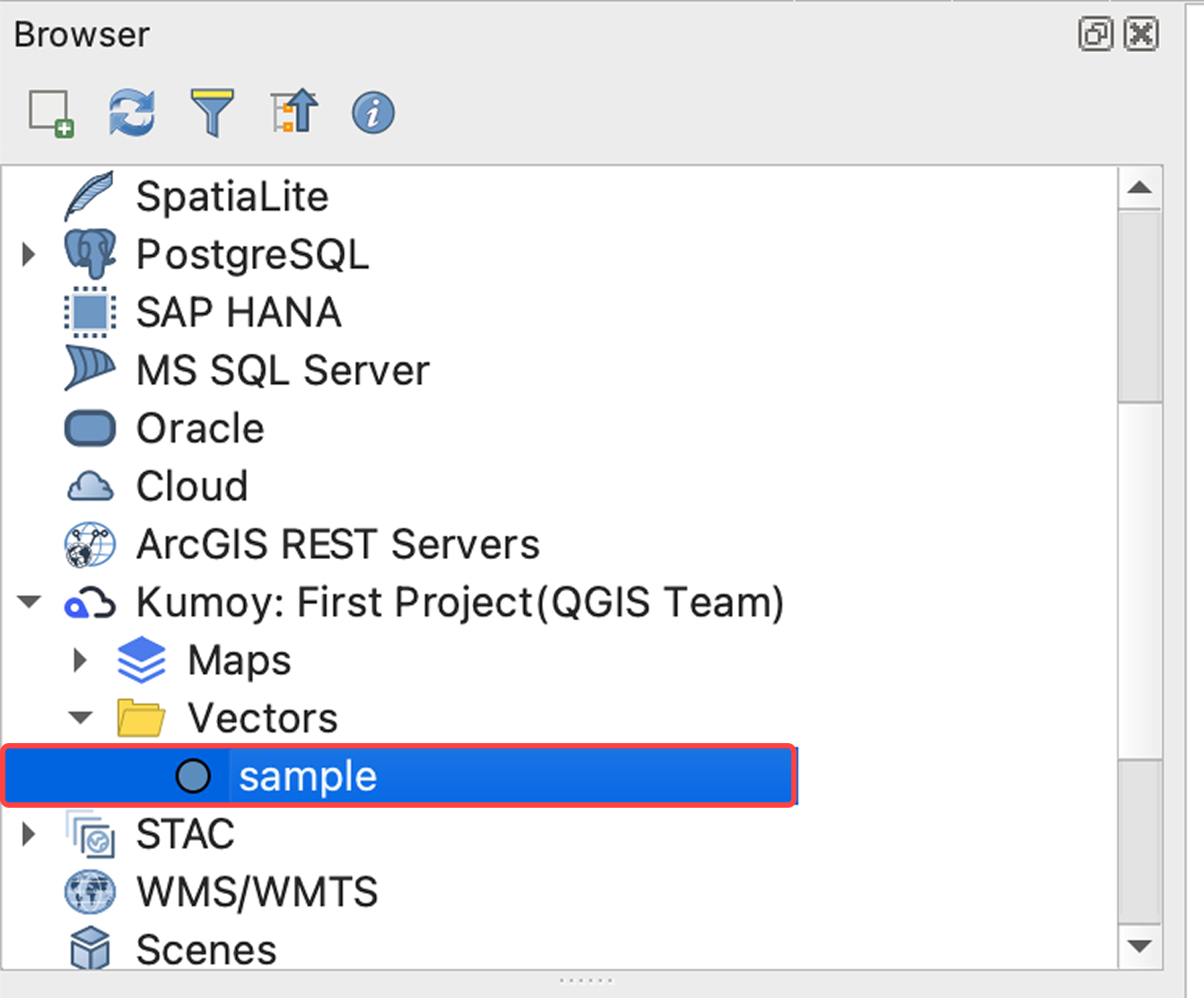
The vector is created. Double-click it if you want to add it to QGIS.
-
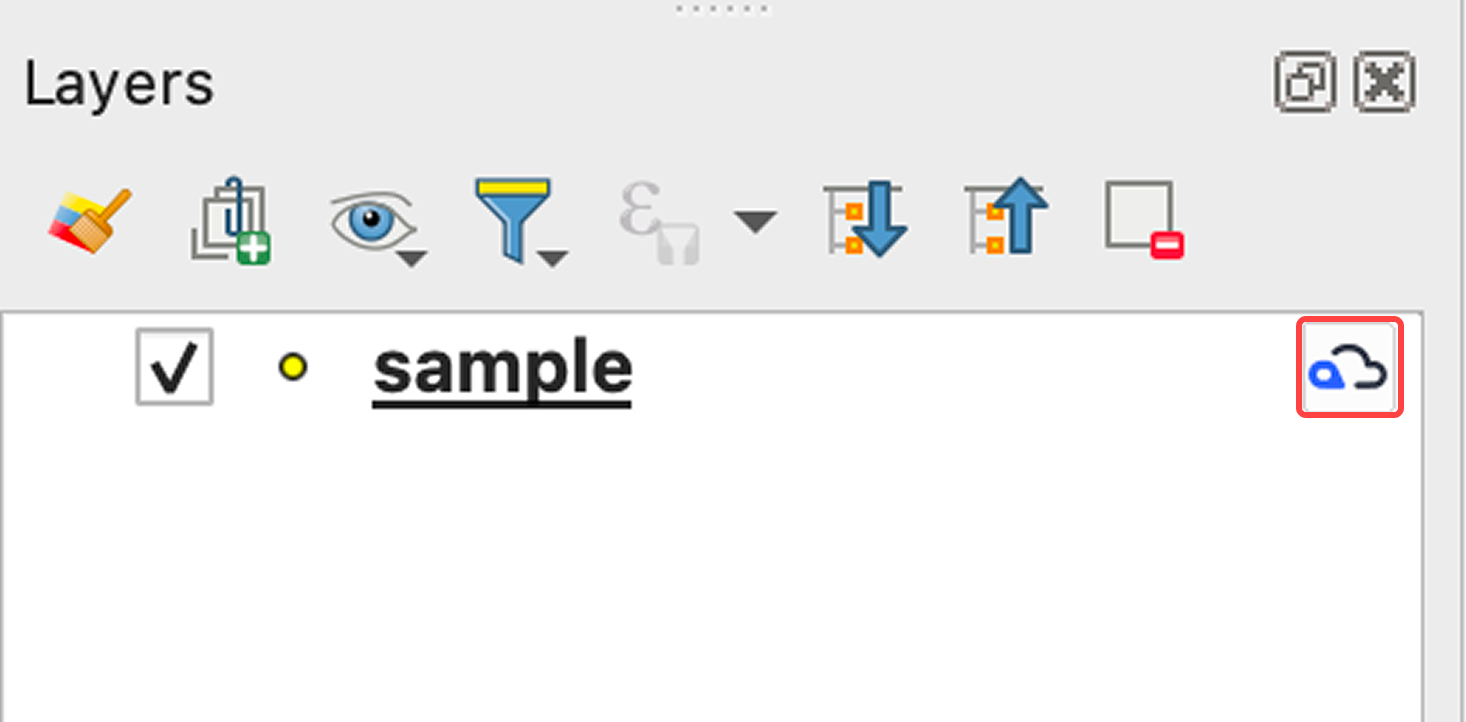
The layer is added to the Layers panel. The Kumoy logo is displayed to the right of the layer name for Kumoy vectors.
TipTo add or edit features and attribute fields, see Edit Vector Features.
Last update: Jul 21, 2026 07:40:43