Change Plan & Storage
This page explains how to change your plan and add storage from the billing page.
All new accounts start on the free Community plan. If you require advanced features or higher capacity, follow the steps below to upgrade your plan at any time.
Before Changing Your Plan#
- Plan and storage updates are applied at the organization level.
- The Team plan supports monthly and annual billing
- Storage add-ons are monthly only.
- See Plan Limits for limit values and Usage and Capacity Management for usage details.
Payment Methods#
Kumoy supports credit card payments.
Invoice-based payment is available for annual Team plan contracts only. To request this, please contact us.
Change Your Plan#
To change your plan, go to the billing page. The steps below show upgrading from the Community plan to the Team plan as example.
-
Log in to Kumoy.
-
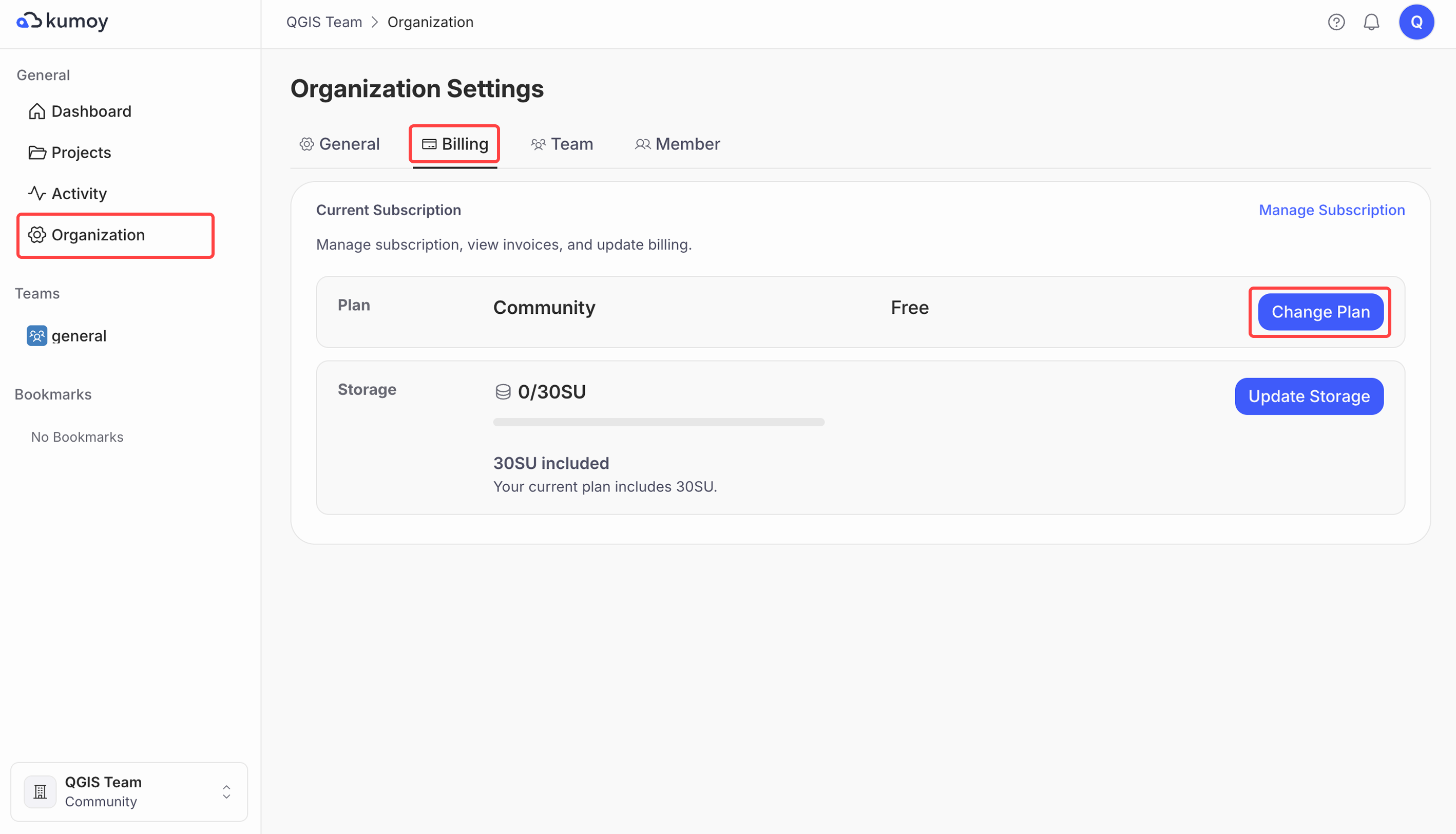
Open the Organization Settings tab, select the Billing sub-tab, and click Change plan.
-
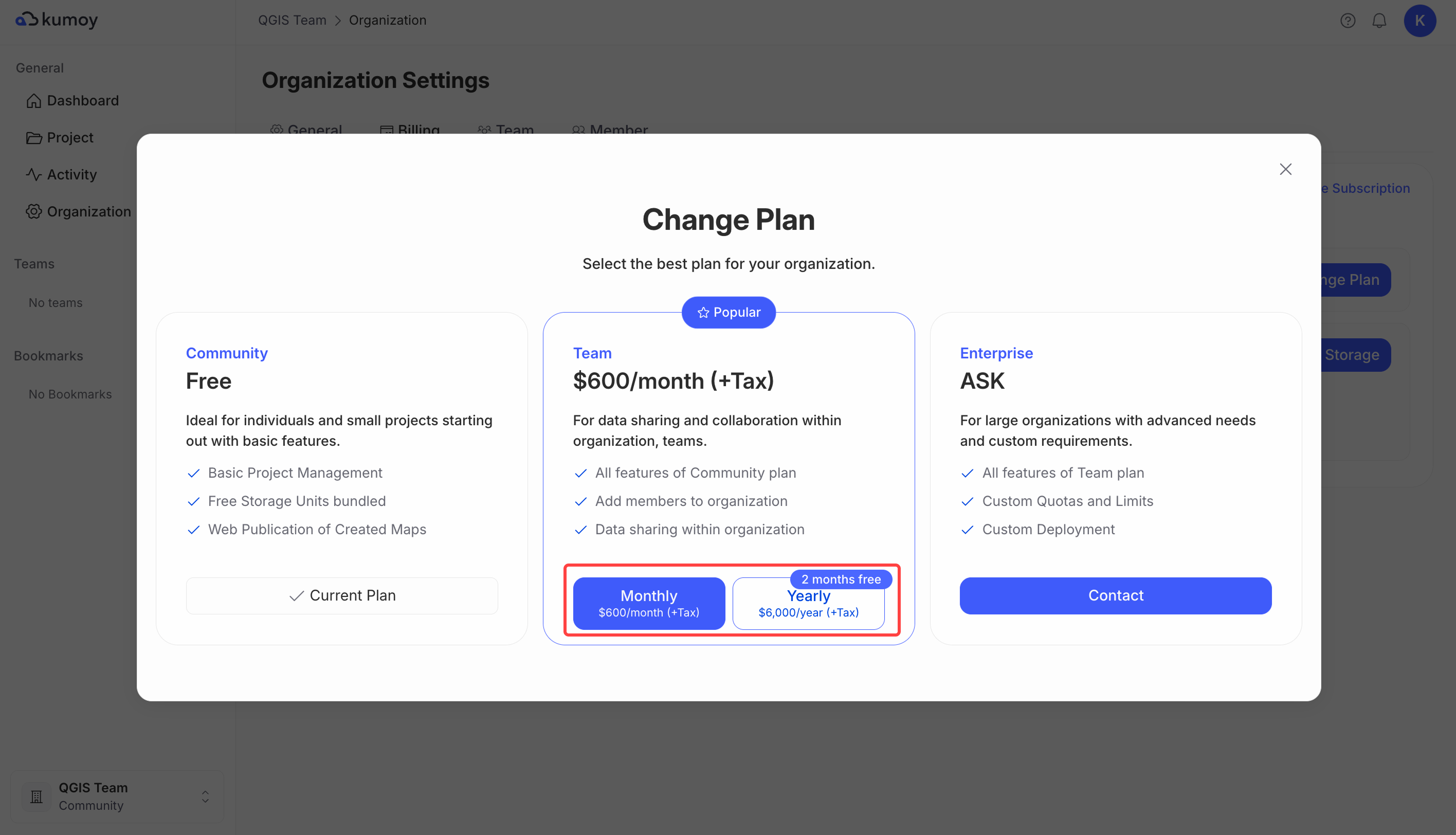
When the plan change screen appears, select your target plan.
-
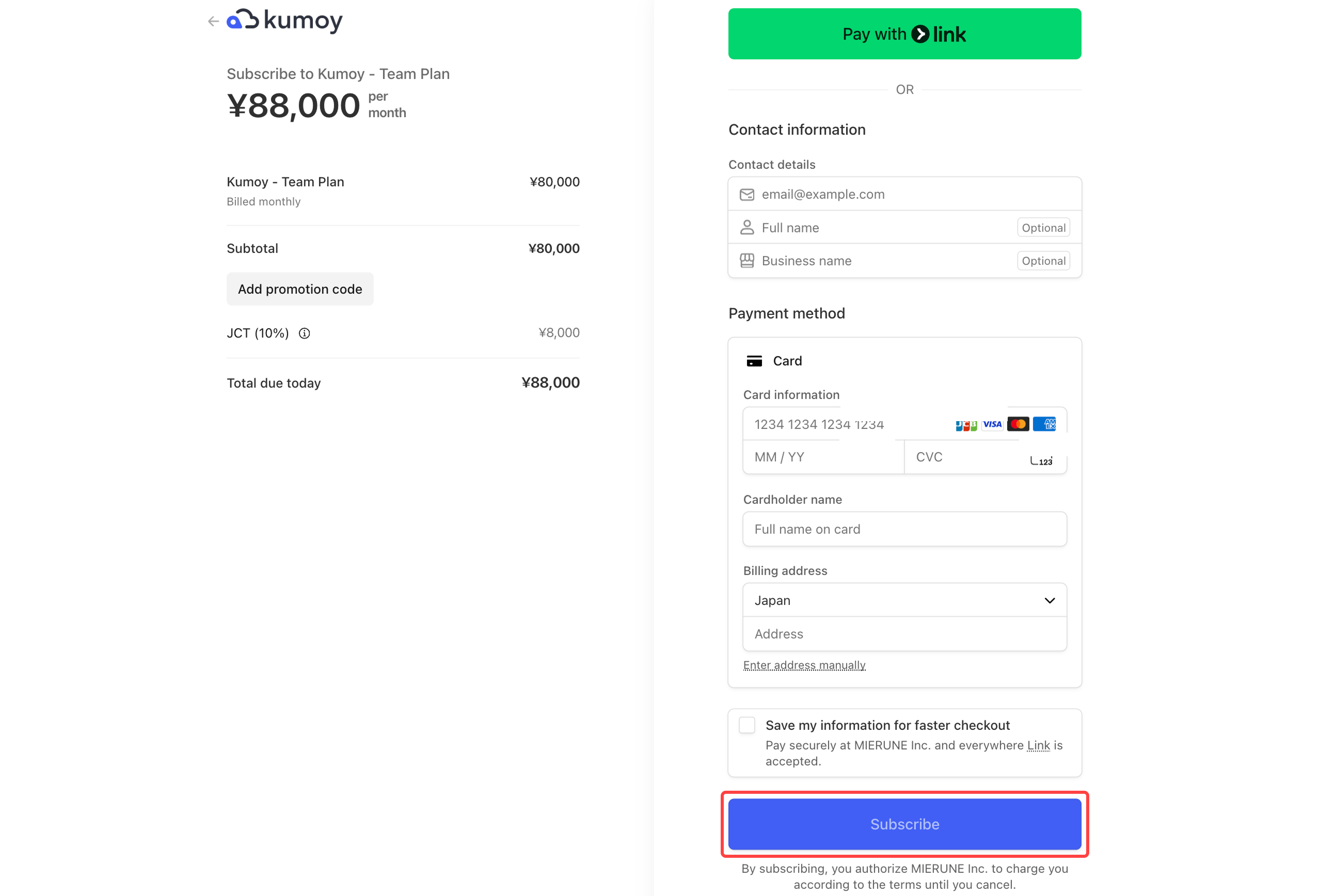
Follow instructions, fill in the required information such as contact details and payment method, then click Subscribe.
-
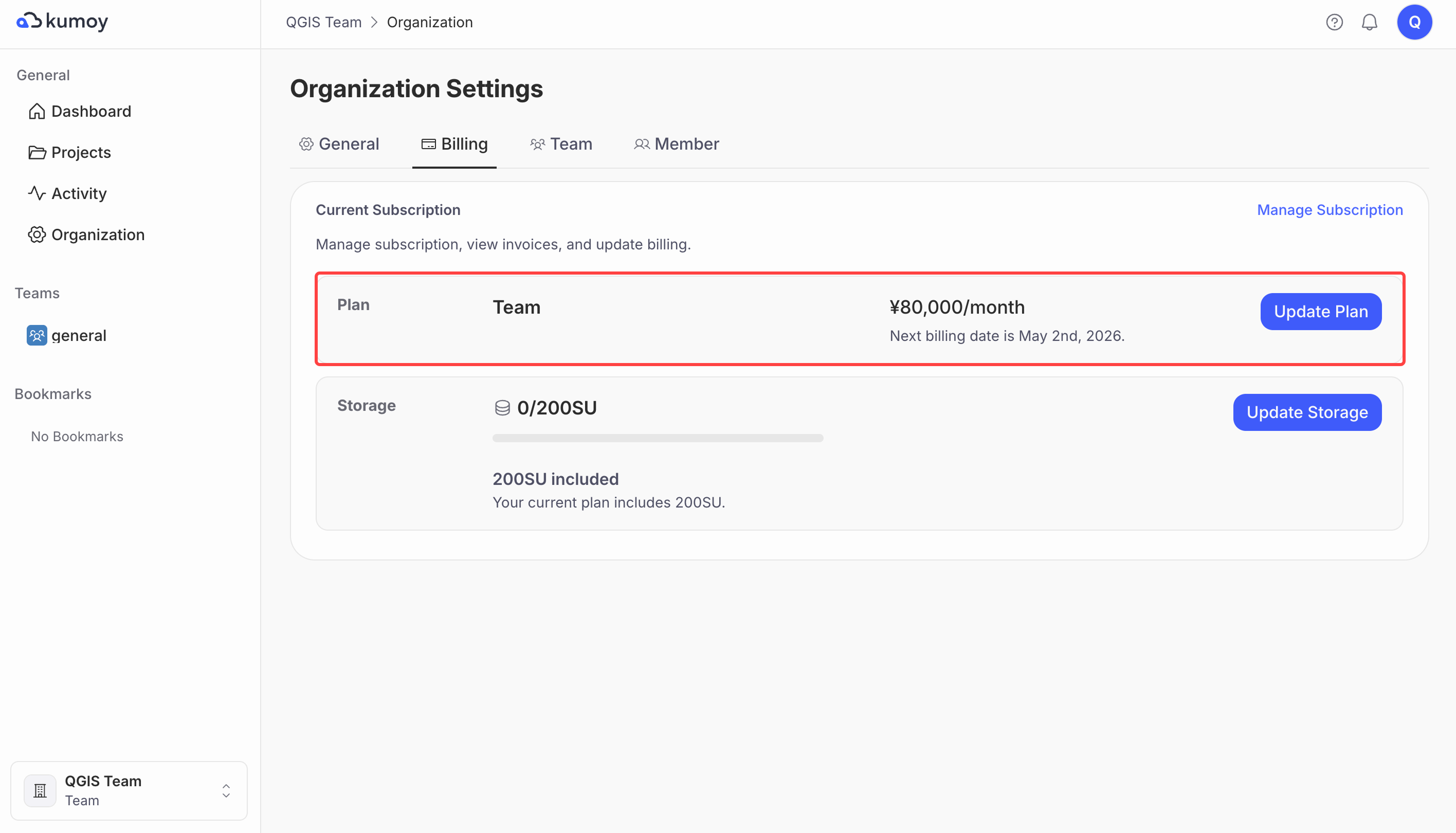
When the purchase is complete, you'll be returned to the billing page. Check that your plan has been updated.
Add Storage#
To add storage capacity, use Update storage on the billing page.
-
Log in to Kumoy.
-
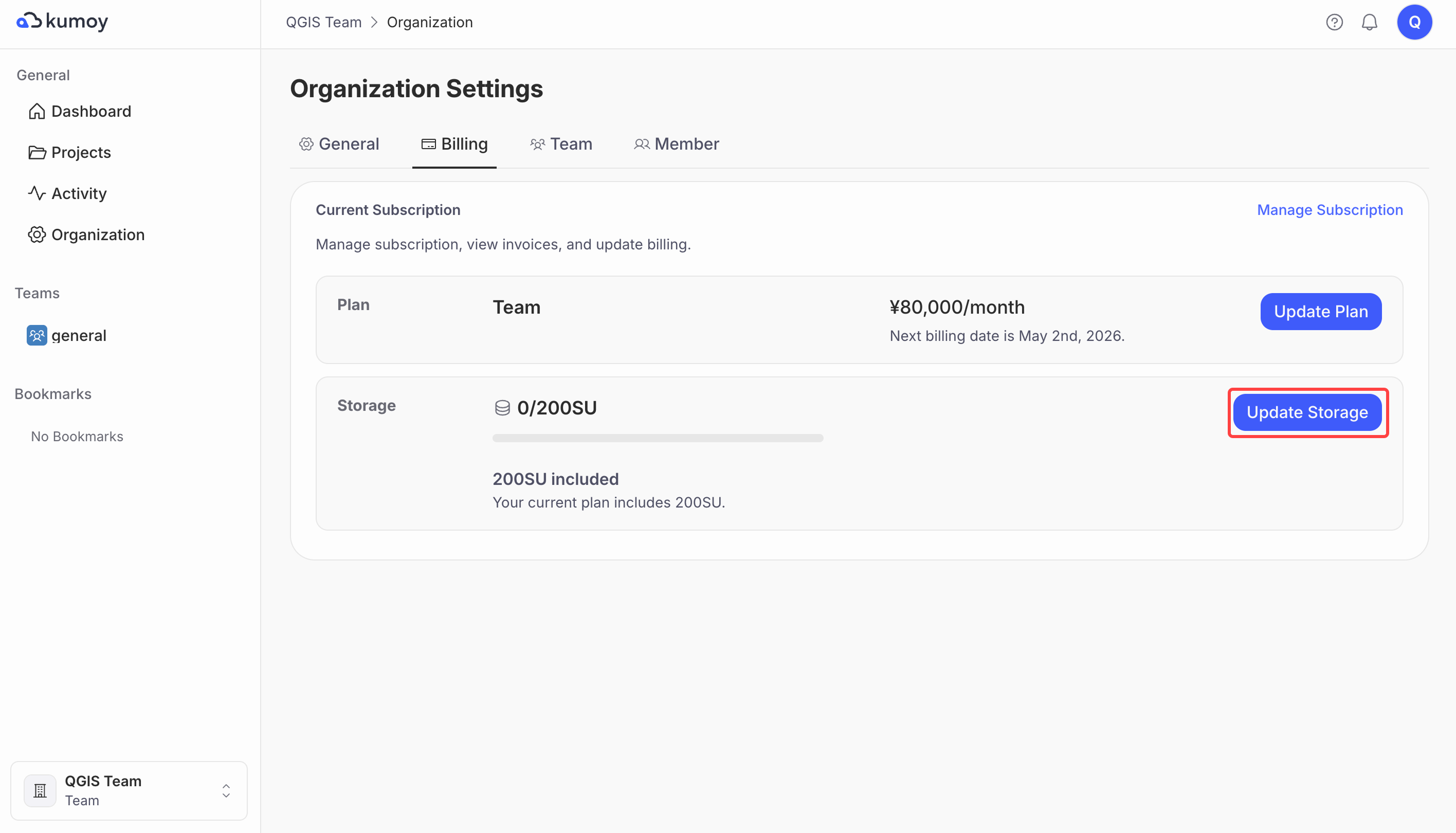
Open the Organization Settings tab, select the Billing sub-tab, and click Update storage.
-
When the storage update screen appears, click the Quantity dropdown and select the desired capacity.
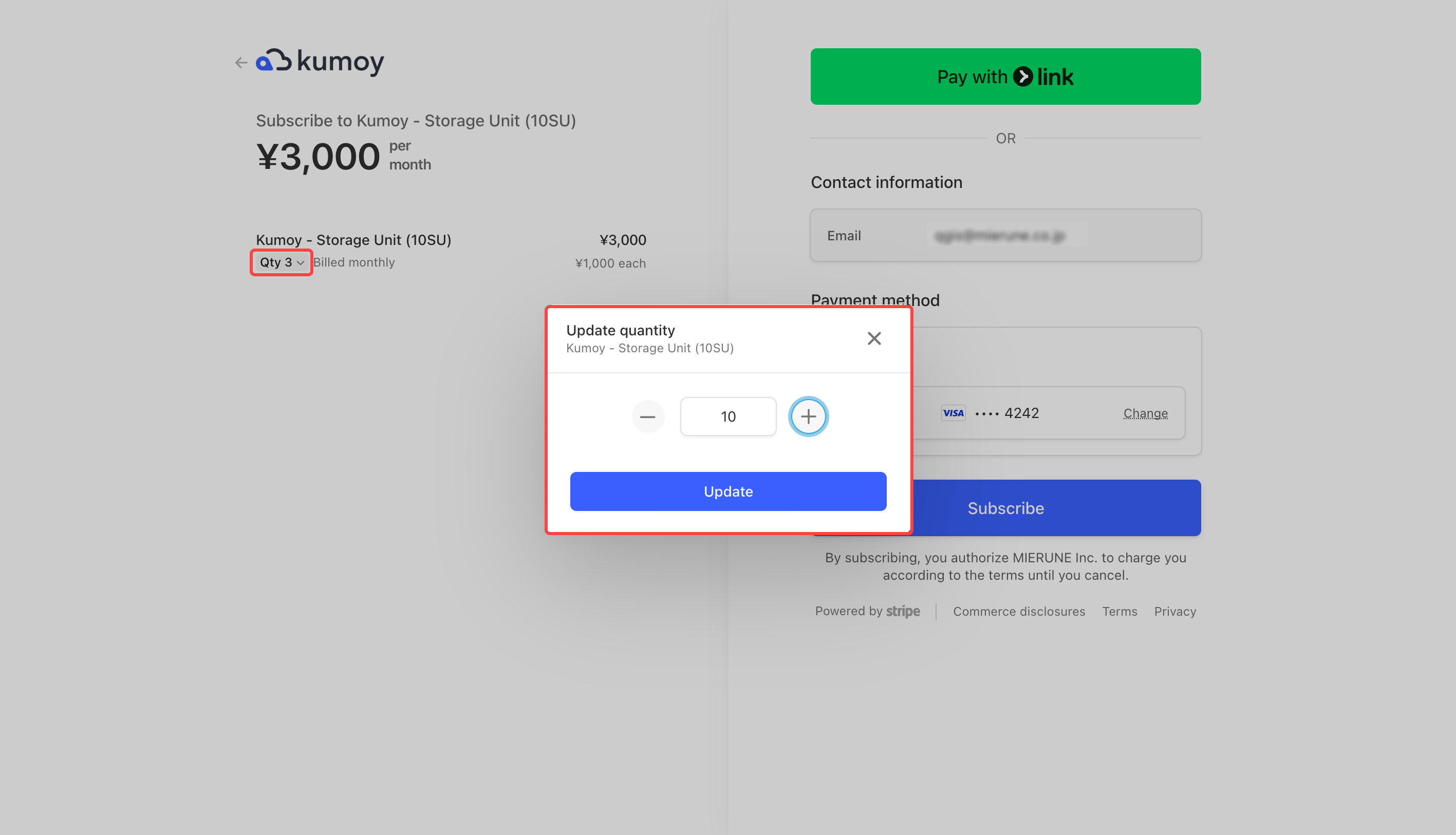
ImportantThe minimum purchase is 30 SU. Additional units can be added in increments of 10 SU.
-
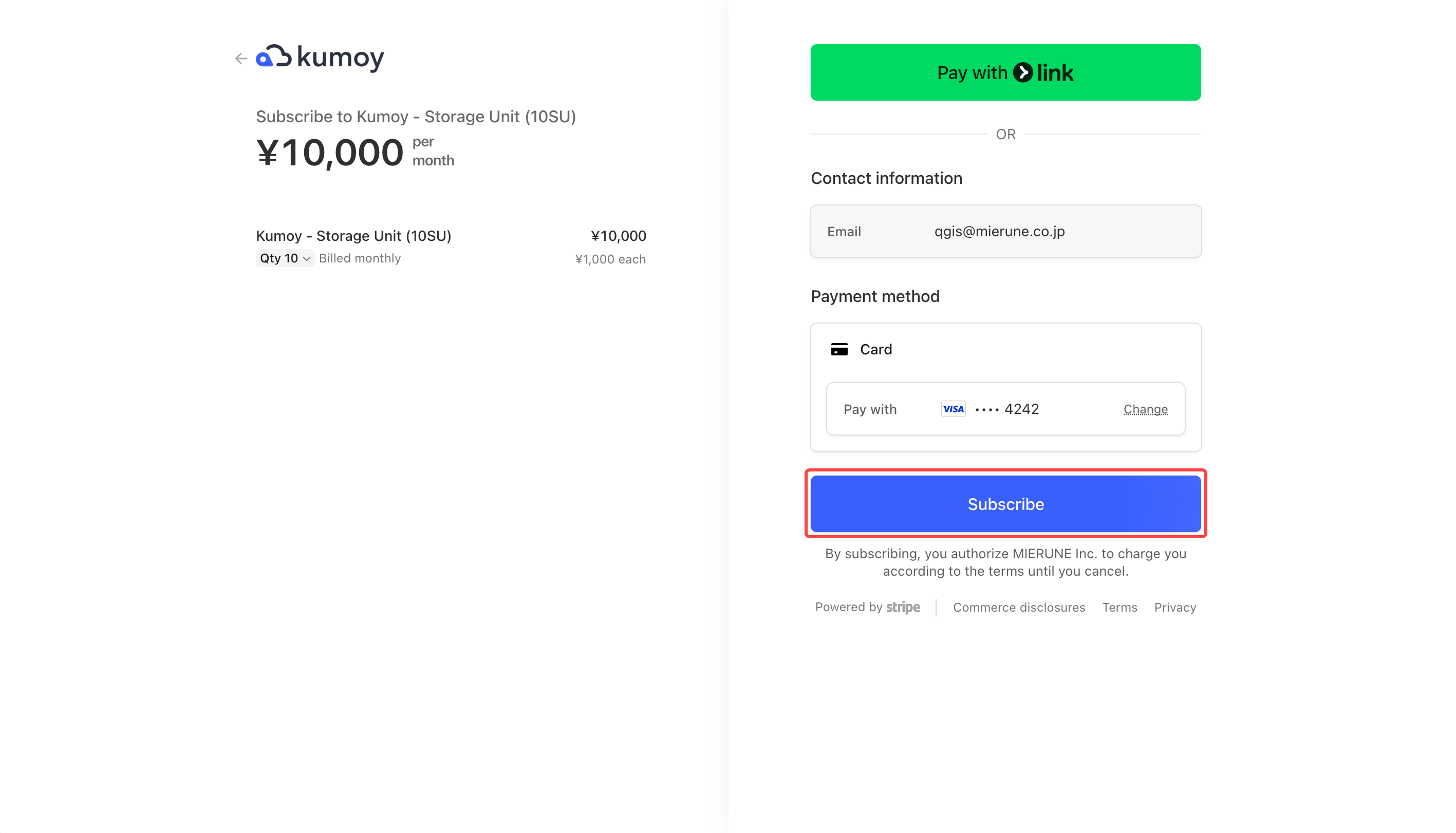
Follow instructions, review your billing details and payment method, then complete purchase.
-
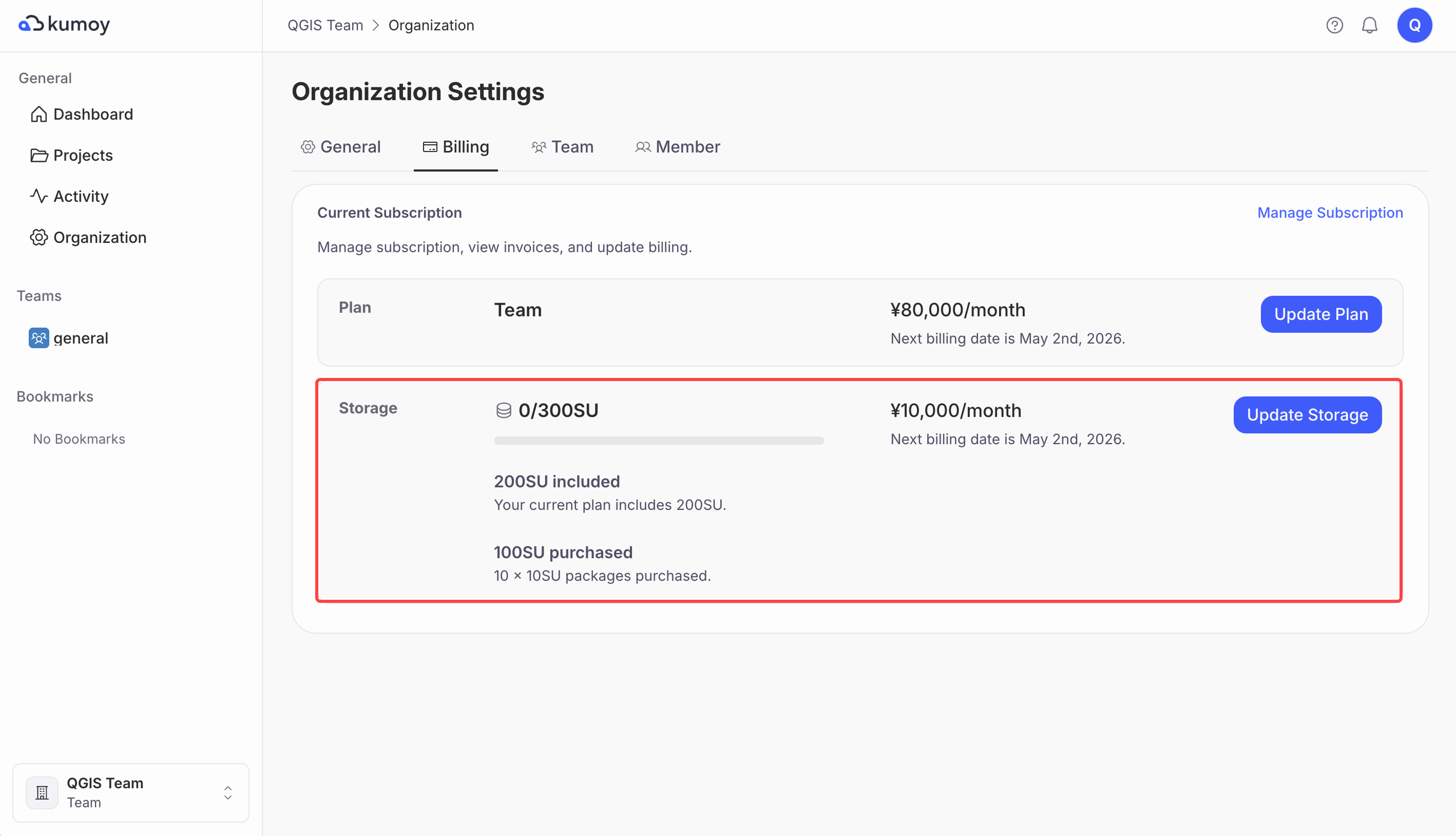
When the purchase is complete, you'll be returned to the billing page. Check the updated storage capacity.
Billing Flow for Storage Add-ons#
Your Team plan fee and storage add-ons are handled independently. You can expand your storage at any time; these additions are prorated based on the remaining days in your current billing cycle.
Billing example#
The example below assumes a Team plan subscription starting April 1, purchasing 30 SU on April 15, and adding a further 10 SU on April 20 (totaling 40 SU). The Team plan includes 200 SU as standard.
- April 1: Team plan starts (200 SU included as base storage).
- April 15: Purchase 30 SU add-on.
- April 20: Purchase an additional 10 SU
Total Capacity: 240 SU (200 base + 40)
Billing Flow#
-
April 1: Pay the base contract fee for the Team plan from April 1 to April 30.
-
April 15: Pay one month of the 30 SU fee (April 15 – May 15).
-
April 20: Pay the prorated fee for the additional 10 SU (April 20 – May 15).
-
May 15: Pay one month of the 40 SU fee (May 15 – June 15).
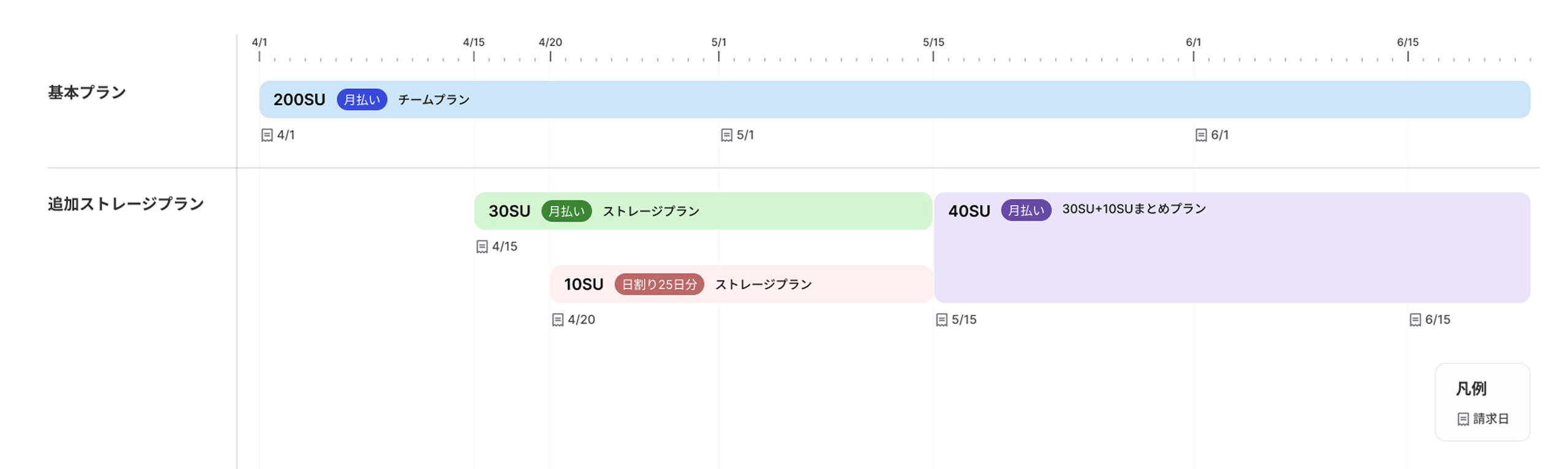
ImportantFrom May 15 onward, the charges for the 40 SU are consolidated into a single bill.
Last update: Jul 21, 2026 07:40:43