Dashboard
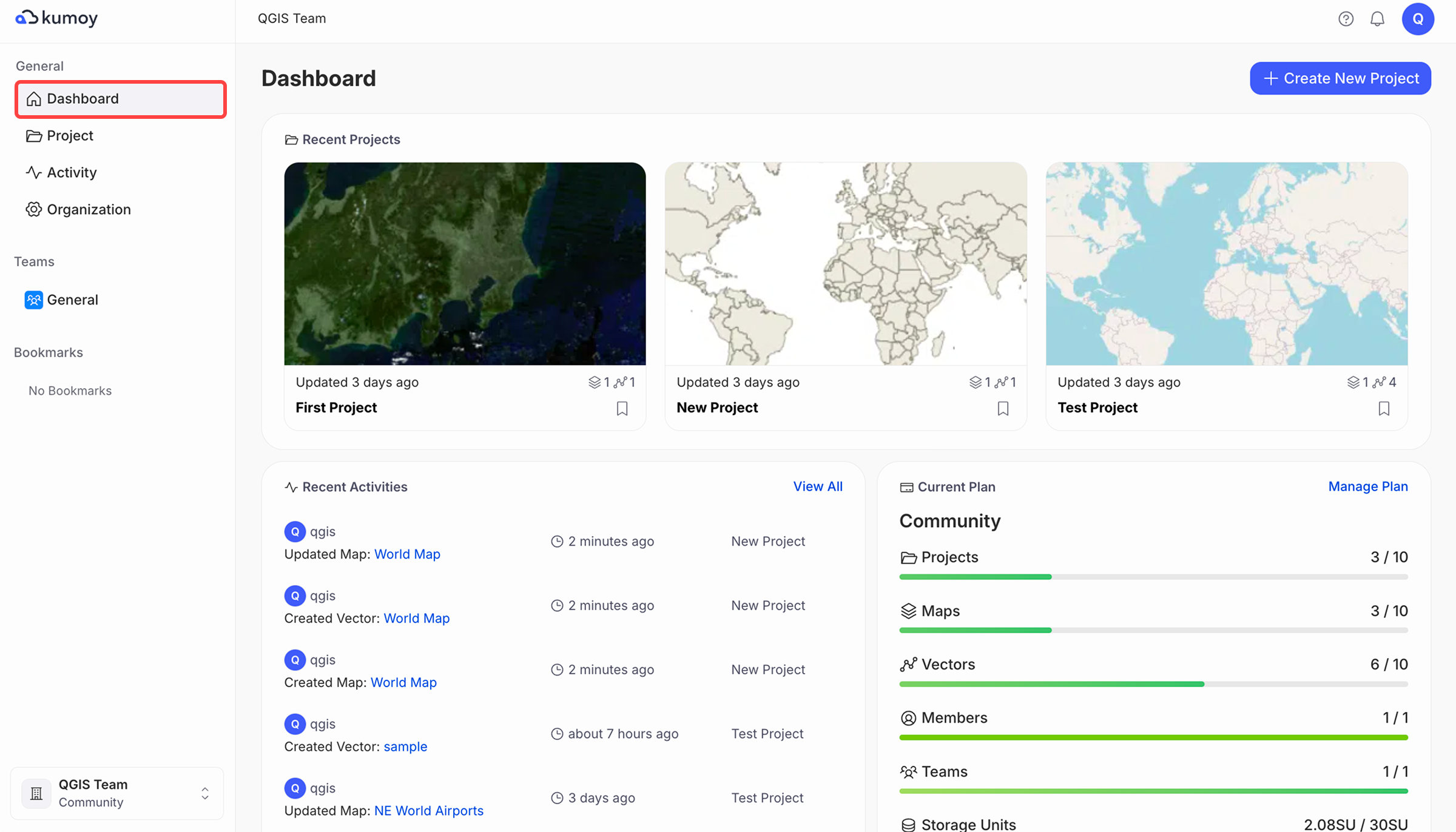
The dashboard is the first screen you see when you open Kumoy. It gives you a quick overview of recent work, current usage, and quick access to management screens.
Dashboard#
When you log in to Kumoy, the dashboard opens.
On the dashboard, you can view recent projects, activity, and data usage under the current plan.
Projects#
The Projects tab shows the projects available in the current organization.
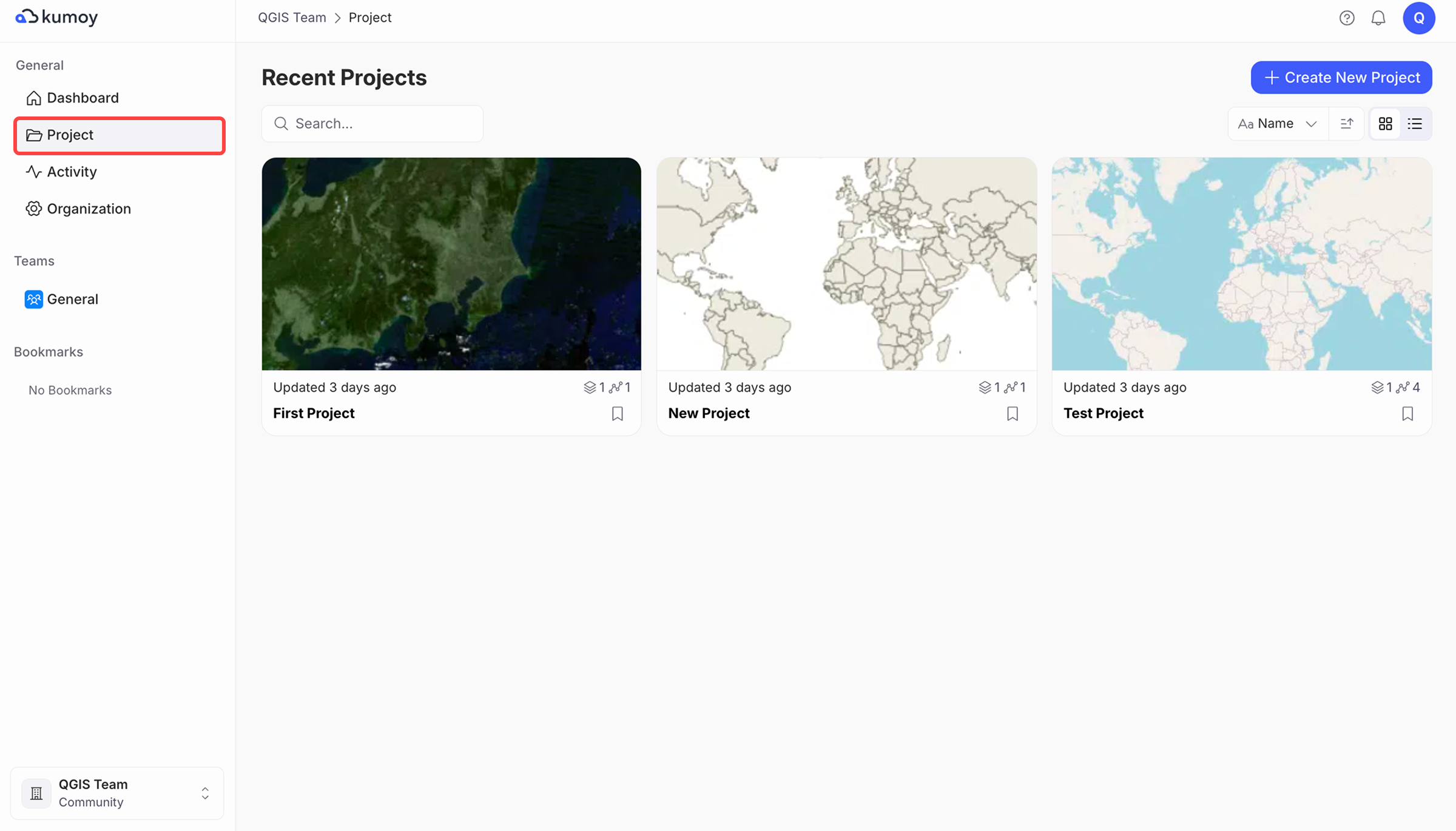
From the Projects tab you can:
- Create a new project
- Search projects by name
- Open a project to browse its vectors, rasters, and maps
Activity#
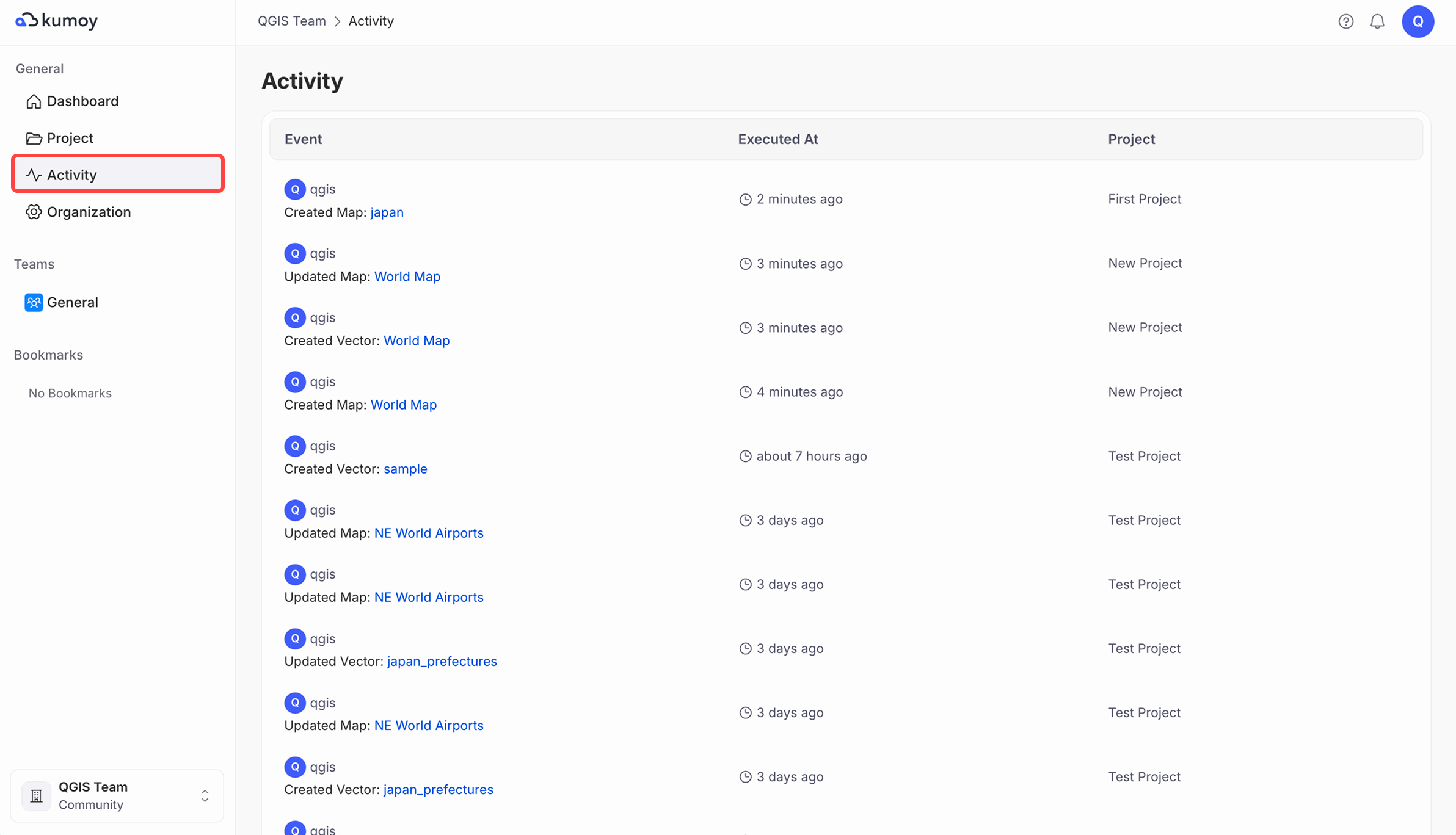
The Activity tab shows recent activity within the organization.
Organization Settings#
The Organization Settings tab is where you manage settings for the organization.
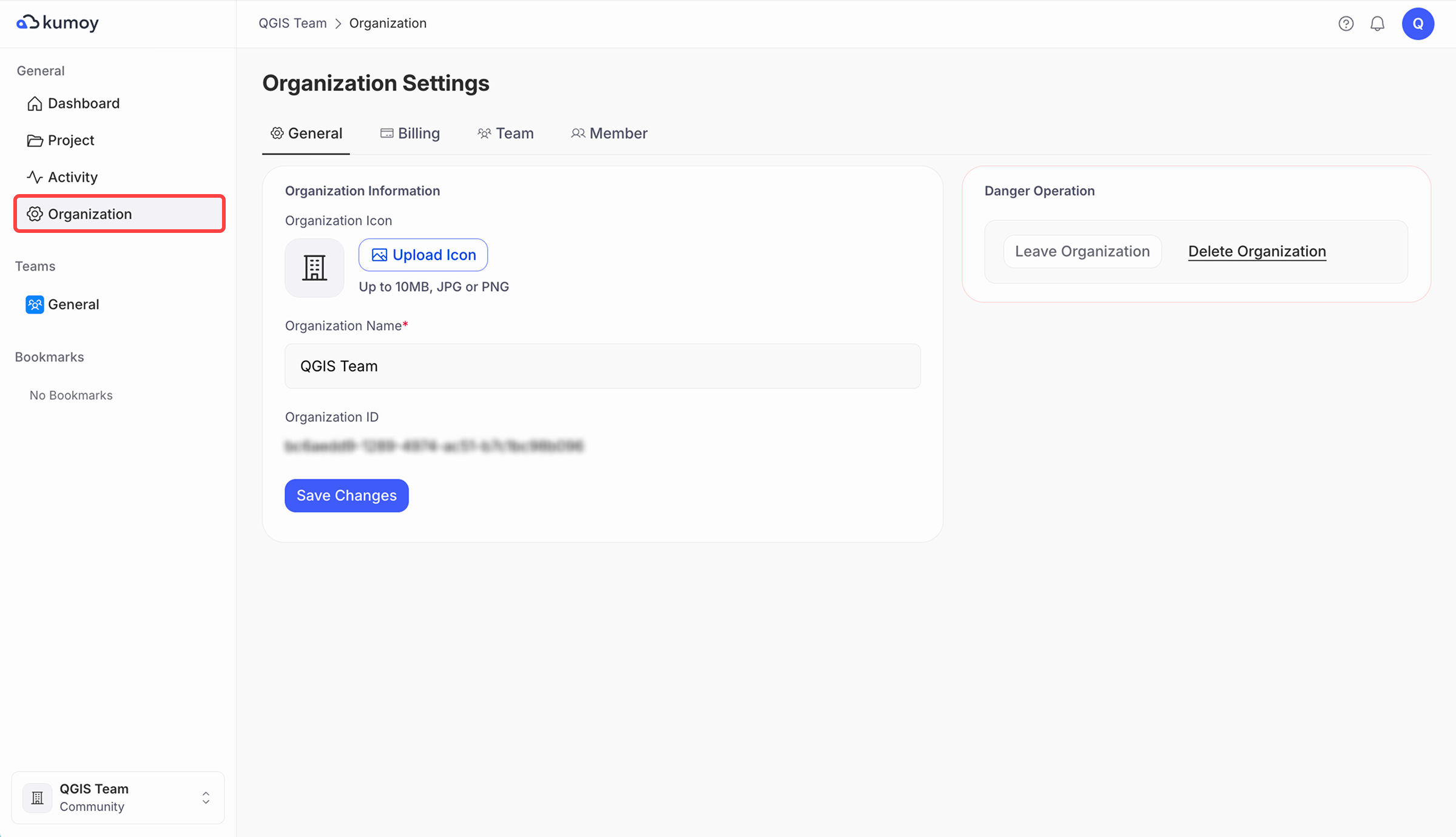
From here, you can:
- Rename, leave, or delete the organization
- Manage your subscription plan
- Manage members and teams
Last update: Oct 7, 2026 23:52:25